Generated by All in One SEO Pro v5.0.1.1, this is an llms-full.txt file, used by LLMs to index the site.
# Avio Technologies LLC — Drive-Thru Intercom Systems
Manufacturer of factory-tested drive-thru intercom systems, menu boards & accessories for QSRs, restaurants, pharmacies & banks. Self-install kits, nationwide dealer network, US support since 2017.
## Posts
### [Blog](https://avio-tech.com/blog/)
**Published:** June 14, 2017
**Author:** jsalazar
---
### [LED vs. Digital Drive-Thru Menu Boards: Which One Actually Fits Your Operation?](https://avio-tech.com/2026/09/09/led-vs-digital-drive-thru-menu-boards/)
**Published:** September 9, 2026
**Author:** Avio Staff
**Excerpt:** LED backlit or full digital? Both drive-thru menu boards get the job done, but they solve different problems. Here is how to pick the one that fits how your operation actually runs.
**Content:**
If you’re evaluating drive-thru menu boards, you’ve probably already hit the same fork in the road every QSR operator faces: LED backlit or full digital display? Both get the job done, but they solve different problems, and picking the wrong one means either overpaying for features you won’t use, or under-investing in a board that can’t keep up with how you actually run your menu.
Here’s how to think through it.
## What LED Backlit Menu Boards Actually Offer
An LED backlit board isn’t just “the cheaper option.” It’s a purpose-built piece of equipment. A high-brightness LED panel sits behind a printed graphic, giving you a board that’s legible in direct sunlight, holds up to years of outdoor exposure, and doesn’t need a software license, an internet connection, or a content management platform to keep running.
**Best for:** operators with a stable core menu who want a board that’s simple to install, cheap to run, and essentially maintenance-free once it’s up.
## What Digital Menu Boards Actually Offer
Digital boards are commercial displays that render your menu as live content: video, animation, real-time pricing, daypart switching, all controlled remotely through software. Change a price, swap a promo, or update an LTO across every location at once, with no reprint and no truck roll.
**Best for:** operators running frequent promotions, daypart pricing, or multi-unit brands that need centralized content control.
## Side-by-Side
LED Backlit Menu BoardsDigital Menu Boards**Upfront cost**LowerHigher**Menu changes**New printed graphic panelInstant, remote, software-based**Sunlight readability**Excellent, no glare issuesGood, depends on brightness rating**Ongoing costs**Minimal, no subscriptionSoftware, content management, occasional hardware service**Power draw**LowHigher**Install complexity**Straightforward, DIY-workableOften needs electrical and network run**Best fit**Stable menu, single or few locationsFrequent promos, multi-location brands## Five Questions Worth Asking Before You Decide
**1. How often does your menu actually change?** If you’re not rewriting prices or swapping items every few weeks, you’re paying an ongoing premium for flexibility you won’t use. A stable menu is exactly what LED boards were built for.
**2. Do you need remote control across multiple sites?** This is digital’s real advantage: pushing a price change to every location from one dashboard. If you’re running one or two locations, that advantage shrinks fast relative to the added cost.
**3. What’s your install environment?** LED boards go up with a straightforward, DIY-workable install. Digital boards usually mean an electrician, a network drop, and more moving parts to troubleshoot when something goes wrong at 6am on a Saturday.
**4. What’s your total cost of ownership, not just sticker price?** Digital’s software fees and hardware service add up over the life of the board. LED’s cost is mostly front-loaded. Once it’s installed, there’s very little left to pay for.
**5. Does your brand or franchise agreement dictate equipment type?** Some franchise systems specify approved menu board vendors or formats. Check before you buy.
## The Bottom Line
There’s no universally “better” board. There’s only the board that matches how your operation actually runs. If your menu is stable and you want equipment that just works without a subscription attached, LED backlit is the smarter buy. If you’re running constant promotions across multiple sites and need centralized control, digital earns its higher cost.
A lot of operators land on LED for exactly this reason: it’s the board built to be installed once and forgotten about.
## Built by Avio, Not Resold Hardware
Our LED backlit menu boards are manufactured in-house, not sourced from a third party and resold at a markup. That means better pricing, and a board built specifically to pair with our drive-thru intercom systems as one complete setup.
[See our LED Backlit Menu Boards →](https://avio-tech.com/product-category/menu-boards/)
Have questions about which setup fits your drive-thru? [Reach out](https://avio-tech.com/contact/) and we’ll help you find the right fit.
**Categories:** Buying Guides & Comparisons
---
### [Drive-Thru Intercom Systems 101: A Buyer's Guide for Independent Restaurant Owners](https://avio-tech.com/2026/07/08/drive-thru-intercom-systems-101-a-buyers-guide-for-independent-restaurant-owners/)
**Published:** July 8, 2026
**Author:** Avio Staff
**Content:**
If you’ve started shopping for a drive-thru intercom system, you’ve probably hit the same wall most independent owners do: every listing uses the same words — “wireless,” “full duplex,” “dual mode” — and none of them explain what you’re actually buying. Then you check a price and it’s either suspiciously cheap or enterprise-suspicious, somewhere north of $3,000, with no clear reason why.
We build these systems for a living, so let’s walk through what’s actually in a drive-thru intercom setup, what’s worth paying for, and what questions to ask before you hand over a card number.
## What’s Actually In a “Drive-Thru Intercom System”
Strip away the marketing language and every system is built from the same four pieces:
**The base station.** This lives inside, usually mounted near the register or handed to whoever’s running the window. It’s the hub — everything else talks to it.
**A headset or handheld mic for your crew.** This is how your team hears the customer and responds. Some systems use a fixed mic at a single station; others give staff a wireless headset so they can keep moving instead of standing next to a box on the wall.
**An outdoor speaker post.** Weatherproof, mounted at the menu board, usually paired with a vehicle detector so it dings or lights up when a car pulls in — so nobody’s yelling “welcome to \[restaurant\]” into an empty lane.
**The cabling or wireless link connecting all of it.** This is the part that gets skipped in most product descriptions, and it’s the part that determines how much of a headache installation becomes.
Once you can name these four pieces, every listing you look at gets a lot easier to compare — you’re just checking what each one includes and what condition it’s in.
## Wired, Wireless, or Both?
This is the first real decision, and it comes down to how your kitchen is laid out and how busy your window gets.
A fixed mic at one station works fine for a small operation where one person can comfortably handle both the window and the headset without much foot traffic in between. It’s the cheapest way in, and for a slow-to-moderate lane, that’s not a compromise — it’s just the right tool.
A wireless headset makes sense the moment your crew needs to move — pulling drinks, calling out an order to the line, stepping away from the register without missing the next car. Look for battery life specifically; a headset that dies four hours into a shift is a headset you’ll be fighting with by dinner rush. Anything rated around 24 hours of use is a reasonable bar.
Some setups run both: a wireless headset as the primary, with a wired fixed mic as a fallback if the headset’s charging or a battery dies mid-shift. That redundancy costs a little more up front and saves you from a dead system during a lunch rush, which is the worst possible time to find out your only headset needs charging.
## The Detail Most Listings Bury: Full Duplex vs. Half Duplex
This is the one spec that actually separates a system that feels professional from one that feels like a walkie-talkie, and almost nobody explains it clearly.
**Half duplex** means only one side can talk at a time — like a two-way radio. Someone has to stop talking before the other person’s voice comes through. It works, but it feels clunky, and it slows down every single order.
**Full duplex** means both sides can talk and be heard at the same time, the way a phone call works. The customer can ask a question mid-sentence and your crew member can respond without waiting for a gap. It sounds like a small thing until you’re taking your three-hundredth order of the day, and then it’s the difference between a lane that flows and one that stutters.
If a product page doesn’t mention which one you’re getting, that’s worth a phone call before you buy — it’s not a minor spec, it’s the whole feel of the system.
## What You’ll Actually Pay (and Why)
Complete drive-thru intercom systems — base station, headset or mic, outdoor speaker, mounting hardware — generally land somewhere between $1,500 and $2,700 for a single-lane setup built for independent restaurants and small chains. Add-ons like LED menu boards or camera monitoring for the lane push that higher, into the $4,000+ range for a fully loaded bundle.
The enterprise systems built for national chains often run well past $3,000 for equivalent single-lane hardware, and a lot of that premium is enterprise sales infrastructure and service contracts, not necessarily better core hardware. That’s not a knock on those companies — it’s just a different customer they’re built for. If you’re an independent owner buying outright and self-installing, you’re not the customer that pricing model was designed around, so it’s worth asking what you’re actually paying extra for before assuming the higher number means better equipment.
## Installation: Can You Really Do This Yourself?
For most single-lane setups, yes — assuming the system is designed for it. Look for kits that ship factory-wired and pre-tested rather than a bag of parts and a wiring diagram. The difference between “self-install in an afternoon” and “call an electrician” usually comes down to whether the manufacturer did the wiring work before it shipped or expects you to.
If you’re retrofitting a lane that already has intercom wiring in place from a previous system, mention that when you’re shopping — some systems need an adaptor to work with existing cable runs, which is a lot cheaper than pulling new wire through your building.
## Questions Worth Asking Before You Buy
A short list to bring to any conversation with a sales rep or product specialist:
- Is this full duplex or half duplex?
- What’s the headset’s rated battery life, and is there a wired fallback?
- Is the outdoor speaker rated for my climate — freezing winters, humid summers, coastal salt air?
- Does it ship pre-wired, or will I need an electrician?
- What happens if a piece breaks — is there a support line, and is it staffed by people who can actually troubleshoot, not just process a return?
- What’s the return window if it doesn’t fit my lane the way I expected?
If a company can’t answer these quickly, that tells you something about the support you’ll get after the sale, too.
## Where to Go From Here
Every lane is a little different, which is exactly why we built a [Kit Finder quiz](/selection-guide/) — answer five quick questions about your lane count, order volume, and existing wiring, and it’ll point you to the specific setup that fits, rather than making you guess between six product pages. If you’d rather just talk it through, our product specialists are on the phone at 800-886-5607, no script, no pressure.
Either way, now you know what you’re actually comparing — which is more than most people get from a product listing.
**Categories:** Buying Guides & Comparisons
---
## Pages
### [Avio Technologies LLC Home](https://avio-tech.com/)
**Published:** June 7, 2024
**Author:** jsalazar
**Content:**
TRUSTED SINCE 2017
## BUILD YOUR OWN DRIVE-THRU
Born as Huafone in Detroit, Michigan and featured on FOX News, Avio Drive-Thru builds a full lineup of drive-thru kits and systems for small businesses, QSRs, and independent operators — from entry-level to full menu-board-and-camera bundles — giving them national-chain reliability without the price tag.
[AS seen on fox news](https://www.fox2detroit.com/news/detroit-tech-companys-intercoms-saving-many-businesses-during-covid-19)[COMPARE KITS](#compare-kits)[KIT FINDER](/selection-guide/)
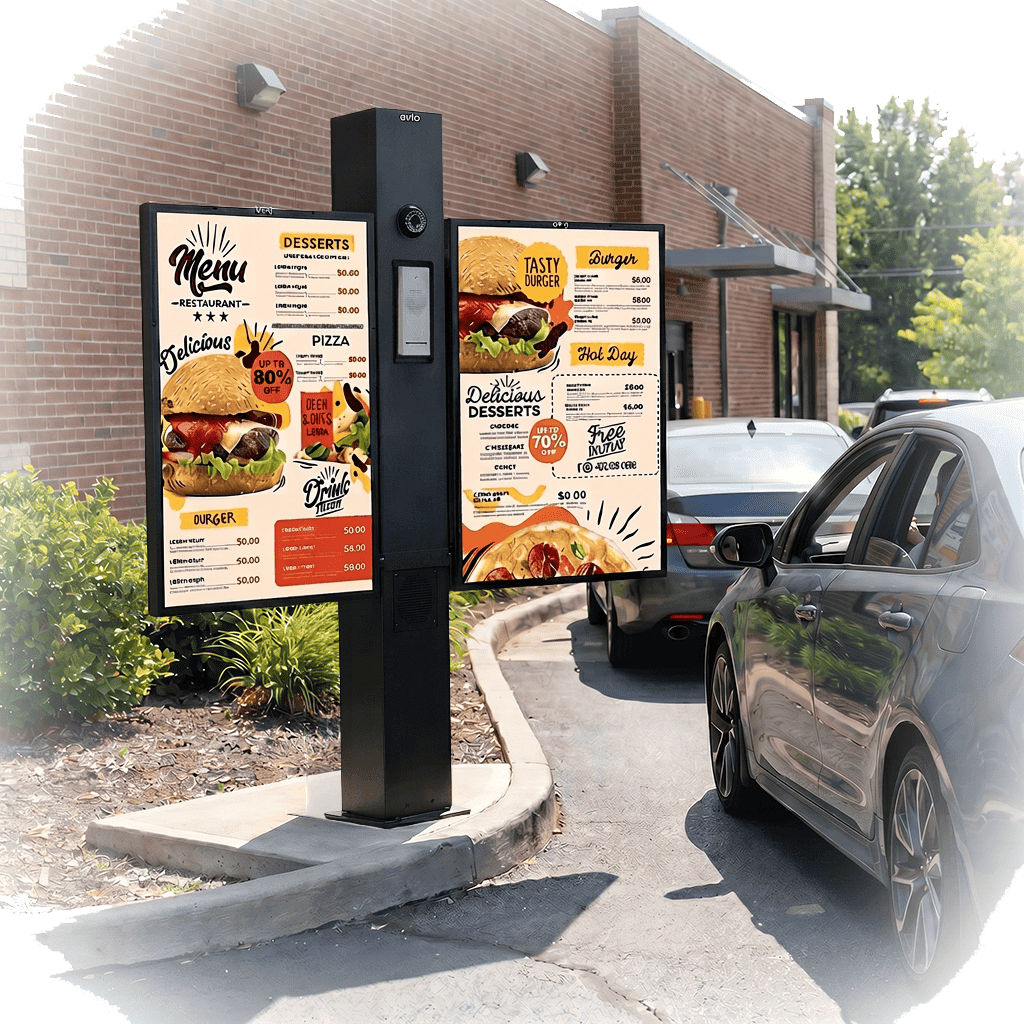

AVIO DRIVE-THRU
## ENTRY KIT
The most cost-effective way to get your drive-thru talking — built for small QSRs, coffee shops, and walk-up windows.
[SHOP ENTRY KIT](https://avio-tech.com/product/kit-1-drive-thru-intercom-system-and-vehicle-detector-system/)[view ALL KITS](/product-category/drive-thru-intercom-kits/)
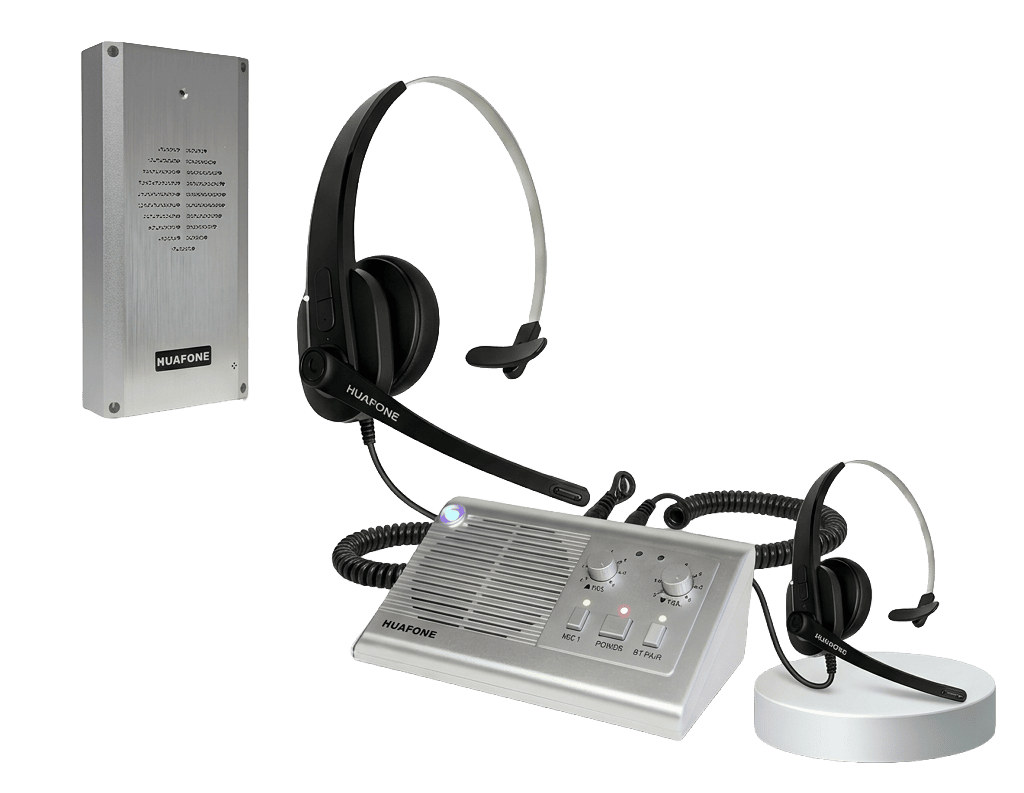

AVIO DRIVE-THRU
## WIRELESS HEADSET
The easiest way to get your drive-thru talking — a wireless intercom system built for small QSRs, coffee shops, bakeries, ice cream shops, cafeterias, and walk-up windows.
[SHOP WIRELESS KIT](https://avio-tech.com/product/kit-3-wireless-headset-drive-thru-intercom-system/?attribute_pa_listen-in-headsets=1-headset)[view ALL KITS](/product-category/drive-thru-intercom-kits/)
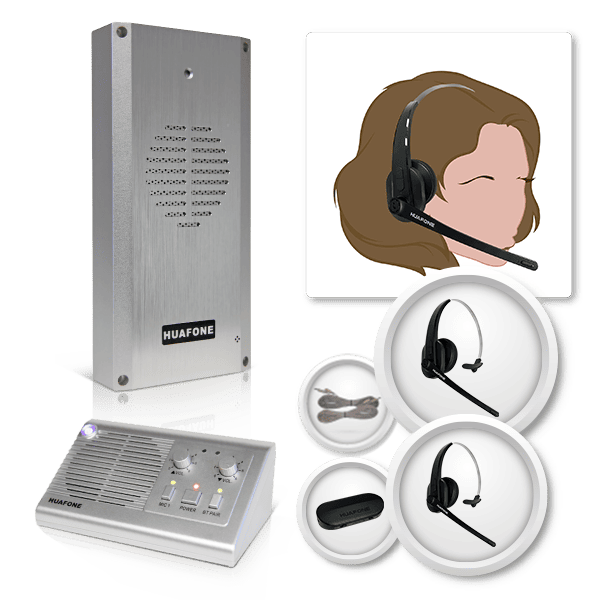

Most PopularAVIO DRIVE-THRU
## PRO INTERCOM SYSTEM
Dual-mode headset system with failsafe fixed mic, built for medium-volume QSRs that demand clear, consistent team communication every shift.
[SHOP PRO KIT](/product/kit-3-pro-series-drive-thru-headset-system-pro-series-wireless-base-station-pro-series-wireless-headset-and-pro-series-speaker-post-assembly/?attribute_pa_listen-in-headsets=1-headset)[view ALL KITS](/product-category/drive-thru-intercom-kits/)
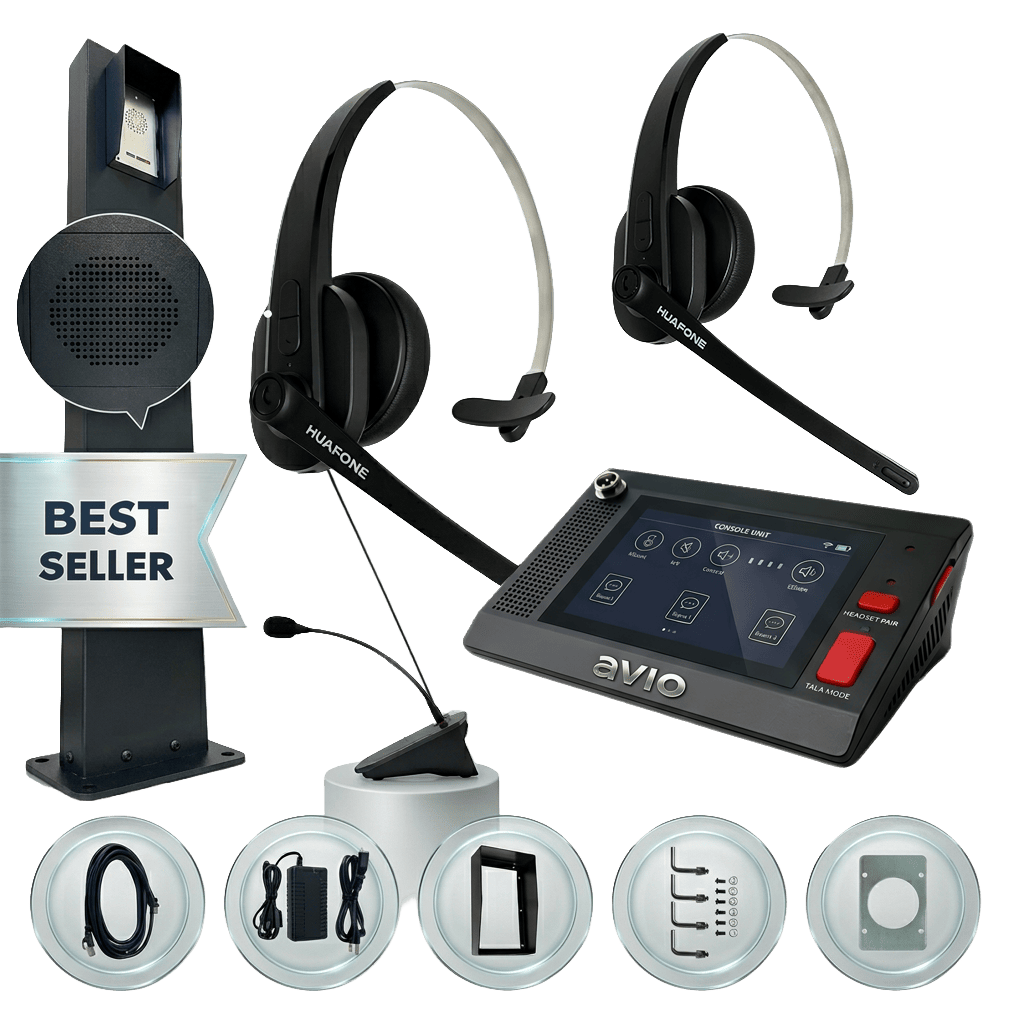

BEST VALUEAVIO DRIVE-THRU
## PRO BUNDLE
Everything in the Pro Intercom System, plus LED backlit menu boards and live camera monitoring — the complete drive-thru ecosystem, one order.
[SHOP BUNDLE](/product/hybrid-bundle/?attribute_pa_live-camera=included)[view ALL KITS](/product-category/drive-thru-intercom-kits/)


## CHOOSE YOUR AVIO DRIVE-THRU SYSTEM
#### Compare all four Avio kits and systems — from a cost-effective entry setup to the full menu-board-and-camera bundle.
SKU
Mic Type
Listen-In Headset
Speaker Weatherhood
Speaker Wiring
Vehicle Sensor
Vehicle Detector
Menu Boards
Camera
Features
Cost Effective
Entry Kit
Fixed Mic
$985
AIO-K1
Fixed
Add-on
Add-on
Speaker Wires
—
Add-on
—
—
[Features](https://avio-tech.com/product/kit-1-drive-thru-intercom-system-and-vehicle-detector-system/)
[Order Now](https://avio-tech.com/product/kit-1-drive-thru-intercom-system-and-vehicle-detector-system/)
Convenient
Wireless
Headset
$1,665
AIO-K2-L1
Wireless
Included
Included
Speaker Wires
—
Add-on
—
—
[Features](https://avio-tech.com/product/kit-3-wireless-headset-drive-thru-intercom-system/?attribute_pa_listen-in-headsets=1-headset)
[Order Now](https://avio-tech.com/product/kit-3-wireless-headset-drive-thru-intercom-system/?attribute_pa_listen-in-headsets=1-headset)
Most Popular
Pro Intercom
System
$2,850
AIO-K3-L1
Dual Mode
Included
Included
CAT5e
Included
Add-on
—
Add-on
[Features](https://avio-tech.com/product/kit-3-pro-series-drive-thru-headset-system-pro-series-wireless-base-station-pro-series-wireless-headset-and-pro-series-speaker-post-assembly/?attribute_pa_listen-in-headsets=1-headset)
[Order Now](https://avio-tech.com/product/kit-3-pro-series-drive-thru-headset-system-pro-series-wireless-base-station-pro-series-wireless-headset-and-pro-series-speaker-post-assembly/?attribute_pa_listen-in-headsets=1-headset)
Best Value
Pro Intercom
Bundle
$5,480
AIO-BNDL-K3L1-MBW2P-CAM
Dual Mode
Included
Included
CAT5e
Included
Included
Included
Included
[Features](https://avio-tech.com/product/hybrid-bundle/?attribute_pa_live-camera=included)
[Order Now](https://avio-tech.com/product/hybrid-bundle/?attribute_pa_live-camera=included)
Included in kit Available as an add-on — Not available
## OUR PRODUCTS
[ 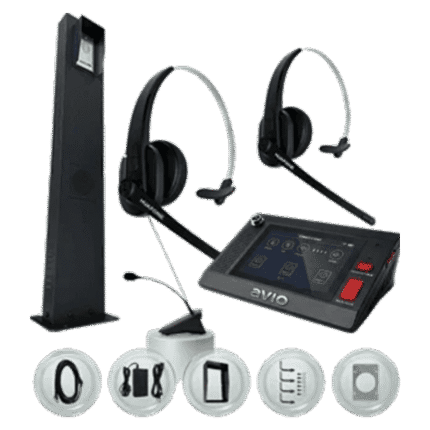 ](https://avio-tech.com/product-category/drive-thru-intercom-kits/)
### Intercom Kits
[ 3 products ](https://avio-tech.com/product-category/drive-thru-intercom-kits/)
[](https://avio-tech.com/product-category/drive-thru-intercom-kits/)
[ 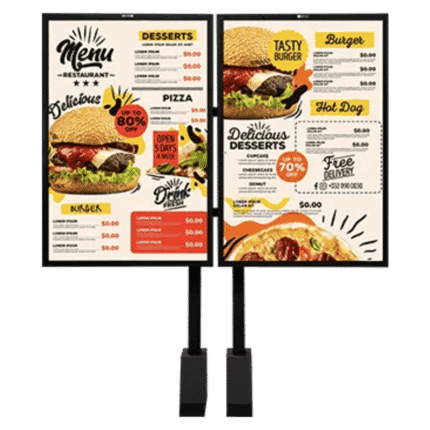 ](https://avio-tech.com/product-category/menu-boards/)
### Menu Boards
[ 4 products ](https://avio-tech.com/product-category/menu-boards/)
[](https://avio-tech.com/product-category/menu-boards/)
[ 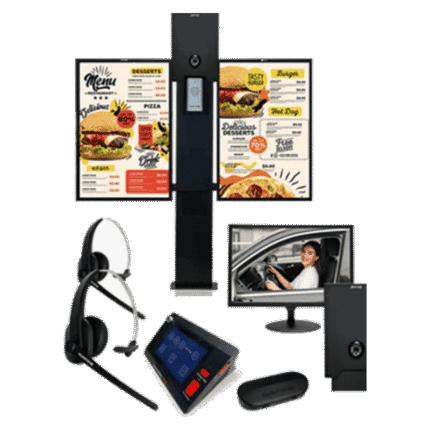 ](https://avio-tech.com/product-category/bundles/)
### Bundles
[ 2 products ](https://avio-tech.com/product-category/bundles/)
[](https://avio-tech.com/product-category/bundles/)
[ 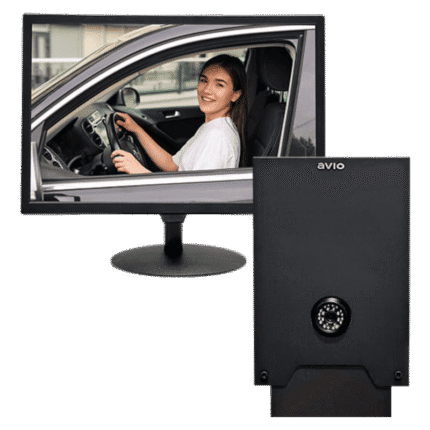 ](https://avio-tech.com/product-category/accessories/add-ons/)
### Add-ons
[ 6 products ](https://avio-tech.com/product-category/accessories/add-ons/)
[](https://avio-tech.com/product-category/accessories/add-ons/)
[ 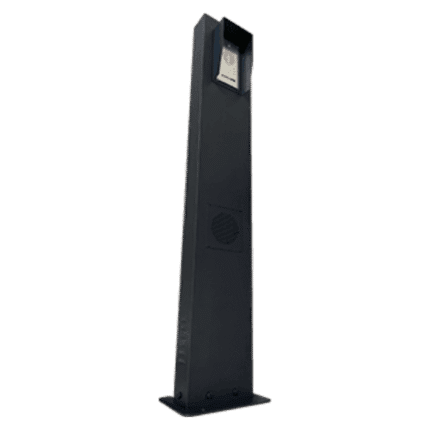 ](https://avio-tech.com/product-category/accessories/intercom-components/)
### Intercom Components
[ 9 products ](https://avio-tech.com/product-category/accessories/intercom-components/)
[](https://avio-tech.com/product-category/accessories/intercom-components/)
[ 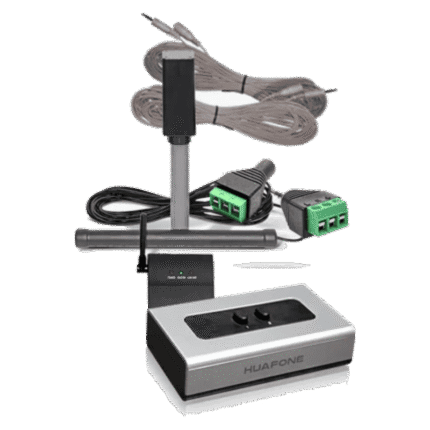 ](https://avio-tech.com/product-category/accessories/wiring-power/)
### Wiring & Power
[ 5 products ](https://avio-tech.com/product-category/accessories/wiring-power/)
[](https://avio-tech.com/product-category/accessories/wiring-power/)
- [BEST SELLERS](#)
[ 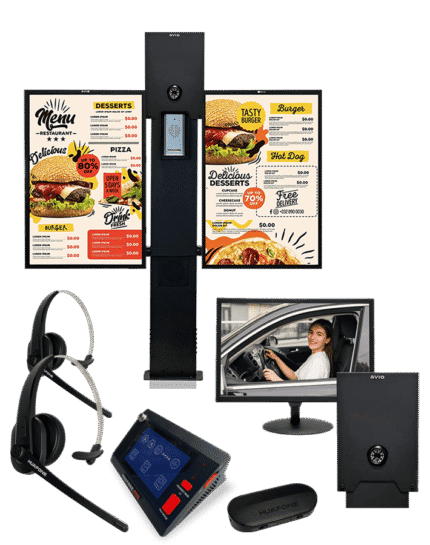 ](https://avio-tech.com/product/hybrid-bundle/) -14%
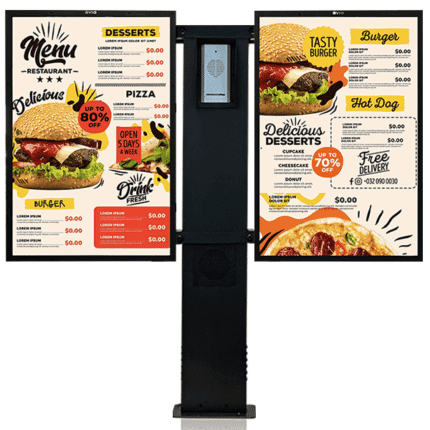
[ Compare ](https://avio-tech.com/compare/)
[ Quick view ](https://avio-tech.com/product/hybrid-bundle/)
[ Add to wishlist ](https://avio-tech.com/wishlist/)
[Select options](https://avio-tech.com/product/hybrid-bundle/) This product has multiple variants. The options may be chosen on the product page
### [Pro Bundle Drive-Thru Intercom & Menu Boards](https://avio-tech.com/product/hybrid-bundle/)
[Bundles](https://avio-tech.com/product-category/bundles/)
SKU: AIO-BNDL-K3L1-MBW2P
$4,950.00 – $5,480.00Price range: $4,950.00 through $5,480.00
[  ](https://avio-tech.com/product/kit-1-drive-thru-intercom-system-and-vehicle-detector-system/) -9%
[ Compare ](https://avio-tech.com/compare/)
[ Quick view ](https://avio-tech.com/product/kit-1-drive-thru-intercom-system-and-vehicle-detector-system/)
[ Add to wishlist ](https://avio-tech.com/wishlist/)
[Add to cart](/wp-admin/admin-ajax.php?action=as_async_request_queue_runner&nonce=daa8f62f07&add-to-cart=28)
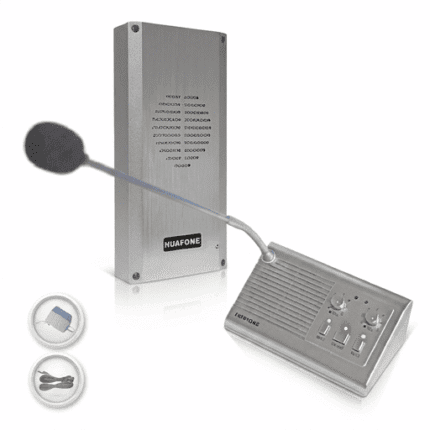
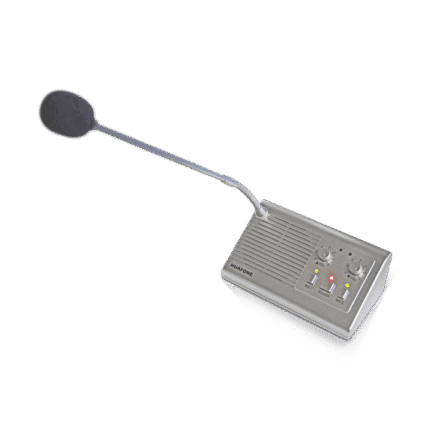
### [Entry Kit – Fixed-Mic Drive-Thru Intercom System](https://avio-tech.com/product/kit-1-drive-thru-intercom-system-and-vehicle-detector-system/)
[Intercom Kits](https://avio-tech.com/product-category/drive-thru-intercom-kits/)
SKU: AIO-K1
$1,085.00 Original price was: $1,085.00.$985.00Current price is: $985.00.
[  ](https://avio-tech.com/product/kit-3-wireless-headset-drive-thru-intercom-system/) -22%
[ Compare ](https://avio-tech.com/compare/)
[ Quick view ](https://avio-tech.com/product/kit-3-wireless-headset-drive-thru-intercom-system/)
[ Add to wishlist ](https://avio-tech.com/wishlist/)
[Select options](https://avio-tech.com/product/kit-3-wireless-headset-drive-thru-intercom-system/) This product has multiple variants. The options may be chosen on the product page
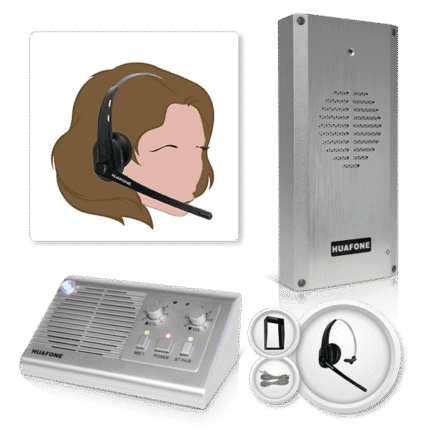
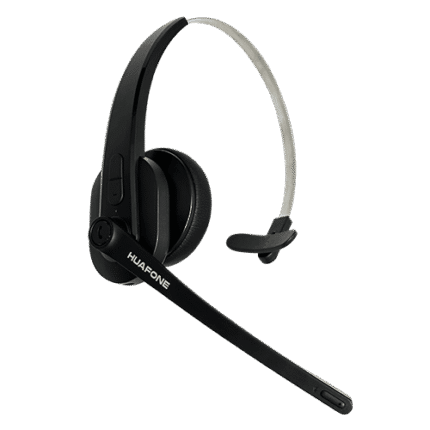
### [Wireless Headset – Drive-Thru Intercom System](https://avio-tech.com/product/kit-3-wireless-headset-drive-thru-intercom-system/)
[Intercom Kits](https://avio-tech.com/product-category/drive-thru-intercom-kits/)
SKU: AIO-K2
$1,550.00 – $1,665.00Price range: $1,550.00 through $1,665.00
[  ](https://avio-tech.com/product/kit-3-pro-series-drive-thru-headset-system-pro-series-wireless-base-station-pro-series-wireless-headset-and-pro-series-speaker-post-assembly/) -15%

[ Compare ](https://avio-tech.com/compare/)
[ Quick view ](https://avio-tech.com/product/kit-3-pro-series-drive-thru-headset-system-pro-series-wireless-base-station-pro-series-wireless-headset-and-pro-series-speaker-post-assembly/)
[ Add to wishlist ](https://avio-tech.com/wishlist/)
[Select options](https://avio-tech.com/product/kit-3-pro-series-drive-thru-headset-system-pro-series-wireless-base-station-pro-series-wireless-headset-and-pro-series-speaker-post-assembly/) This product has multiple variants. The options may be chosen on the product page
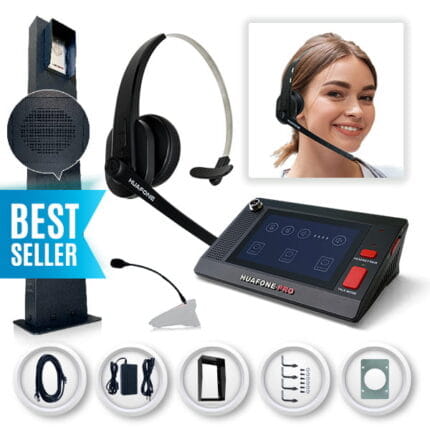
### [Pro Intercom System – Wireless Headset Dual Mode with Integrated Speaker Post](https://avio-tech.com/product/kit-3-pro-series-drive-thru-headset-system-pro-series-wireless-base-station-pro-series-wireless-headset-and-pro-series-speaker-post-assembly/)
[Intercom Kits](https://avio-tech.com/product-category/drive-thru-intercom-kits/)
SKU: AIO-K3
$2,850.00 – $2,965.00Price range: $2,850.00 through $2,965.00
## OUR CUSTOMERS









## Get The Inside Line On Drive-Thru Gear
Sign up for early access to new kits, seasonal deals, and tips for keeping your lane running smoothly — straight from the team that builds it.
---
### [About us](https://avio-tech.com/about/)
**Published:** August 25, 2021
**Author:** jsalazar
**Content:**
TRUSTED SINCE 2017
## **Built for the Drive-Thru.**
## Who we are
Avio Technologies LLC designs and manufactures commercial drive-thru communication systems built for restaurants, coffee shops, and quick-service businesses that can’t afford downtime.
## Our Mission
We help small businesses win more customers — with advanced commercial communication systems built to meet their performance and budget needs.
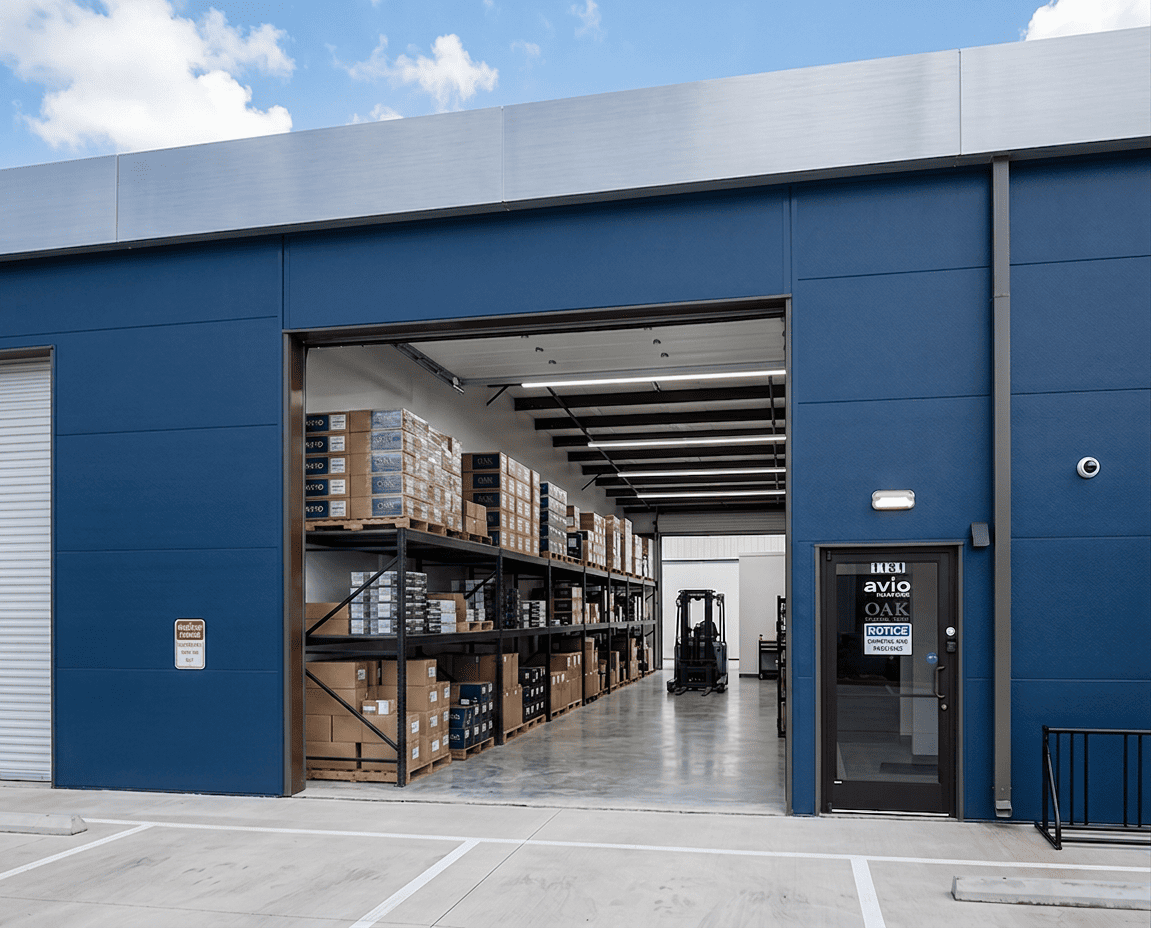
SERIOUS INTERCOM ENGINEERING
## About our online store
***Buy direct, install yourself, get support when you need it***.
Every Avio Drive-Thru Kit ships factory-wired and ready to install, backed by a product specialist you can reach live — text [512-660-7778](sms:+15126607778) or [chat with us ](/contact-us/)online. Compare our kits to $3,000+ competitor systems and you’ll find the same reliability at a fraction of the price, with a 30-day return window and 24/7 support standing behind every order.
## **Ready to upgrade your drive-thru?**
Talk to a product specialist at 800-886-5607, or explore our kits to find the right fit for your lane.
[Shop Drive-Thru Kits →](#)
0
FOUNDING YEAR
0
HAPPY COSTUMERS
0
STATES SERVED ACROSS THE U.S.
0
COUNTRIES SERVED WORLDWIDE
## Our Company History
HOW WE ENDED UP IN THE DRIVE-THRU BUSINESS
Our story starts a long way from the drive-thru lane. Long before the first Avio kit ever shipped, our engineers were building intercom systems for banks, hospitals, and schools — the kind of places where “good enough” isn’t good enough. Somewhere along the way, we noticed the same problem in a completely different industry: restaurant owners stuck choosing between clunky, overpriced enterprise gear or unreliable off-the-shelf equipment that couldn’t survive a Texas summer or a Michigan winter. So we built something in between — a sales and support team in Georgetown, Texas, paired with a manufacturing and warehousing operation in Troy, Michigan’s “Automation Valley.” Texas hustle on the phone, Michigan precision on the assembly line — it’s why an Avio kit shows up already wired and tested, ready to bolt down, instead of a pile of parts and a prayer.
The moment that really put us on the map came during COVID-19, when drive-thru lanes went from a convenience to a lifeline almost overnight, and ours kept working when it mattered most — a story Fox 2 Detroit picked up as part of local tech helping small businesses stay open. We’ve kept building around that same idea ever since: support small operators the way the big chains support themselves. UPS now commits to daily pickups from our facilities to keep urgent orders moving, and a growing network of dealers carries Avio kits into markets we can’t reach on our own — not bad for a company that started out fixing intercoms in bank lobbies.
## OUR CUSTOMERS









---
### [Dealer Portal](https://avio-tech.com/dealer-portal/)
**Published:** July 7, 2026
**Author:** jsalazar
**Content:**
## DEALER PORTAL
Avio Technologies has manufactured intercom systems since 2017, distributed across all 50 states and more than 65 countries. Approved dealers get dealer-specific pricing, direct technical support, and a growing catalog of drive-thru products to offer their customers. Apply for dealership today and grow with a manufacturer that’s been doing this for almost three decades.
[](#)2017
## FOUNDING YEAR
[](#)500+
## DEALERS WORLDWIDE
[](#)65+
## COUNTRIES SERVED
## APPLICATION FORM
## LOGIN TO YOUR ACCOUNT
If you’re already an authorized Avio Technologies Dealer.
[DEALER LOGIN](/my-account/)## CONTACT US

**Phone:** [(800) 886-5607](tel:8008865607)
**Email:**

**Address:** [3883 E University Ave Suite 1181, Georgetown, TX 78626, USA](/contact-us/)

**Support forum for over 24h**
---
### [Support](https://avio-tech.com/support/)
**Published:** July 7, 2026
**Author:** jsalazar
**Content:**
Here to help
## Installation Guides
Get drive-thru equipment support here. Everything you need to install, set up, and troubleshoot your Avio Drive-Thru kit — quick guides and setup walkthroughs for every kit and accessory, answers to common questions, and our warranty and returns policies, all in one place. Can’t find what you’re looking for? Call a product specialist at [800-886-5607](tel:8008865607). For hands-on drive-thru equipment support, browse the guides below or explore our[ full product lineup](/products/).
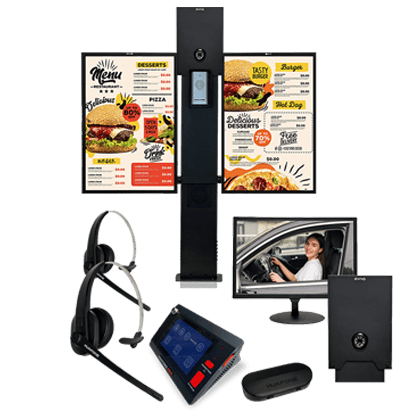
## How To Design A Successful Drive-Thru Layout
- [Speaker Post, Menu Board and Awning Layout](/wp-content/uploads/support/Speaker-Post-and-Menu-Board-Layout.pdf)
- [Pro Bundle Drive-Thru Intercom & Menu Boards Installation Layout](https://avio-tech.com/wp-content/uploads/support/2026-07-08_Avio_Post-Menu_Board_Installation_Layout_v1.0.pdf)
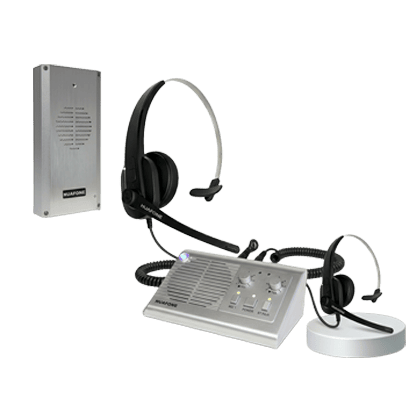
## Drive-Thru Entry Kit
- [Entry Kit Quick Guide](/wp-content/uploads/support/Kit-1-Quick-Guide.pdf)
- [Entry Kit FAQs](/wp-content/uploads/support/Kit-1-FAQs.pdf)
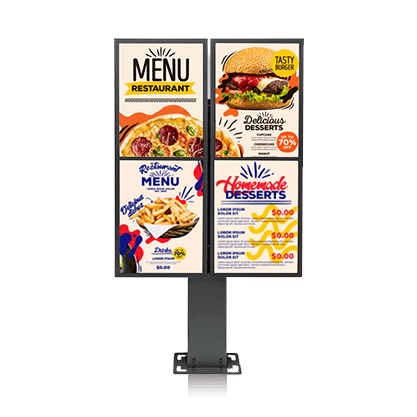
## Menu Board
- [Menu Board Setup Guide (AV-80)](/wp-content/uploads/support/MENU-BOARD-SETUP-GUIDE.pdf)
- [Menu Board Setup Guide (AV-90)](/wp-content/uploads/support/AV-90-Menu-Board-Set-Up-Guide.pdf)
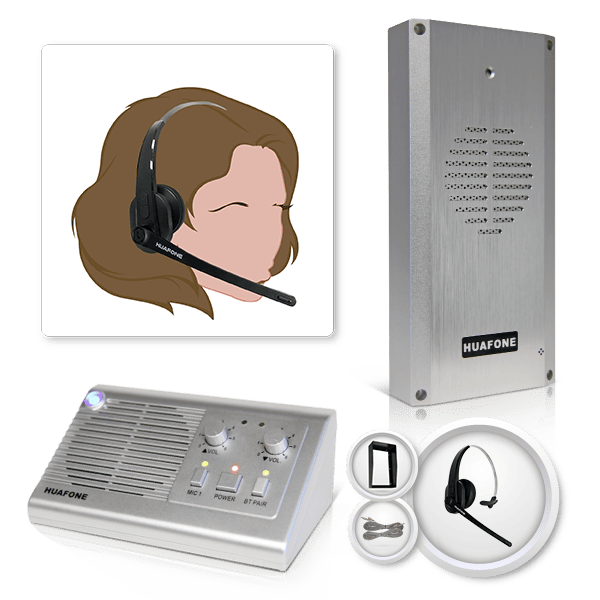
## Drive-Thru Wireless Headset Kit
- [Wireless Headset Kit Quick Guide](/wp-content/uploads/support/Kit-2-Quick-Start.pdf)
- [Wireless Headset Kit FAQs](/wp-content/uploads/support/Kit-2-FAQs.pdf)
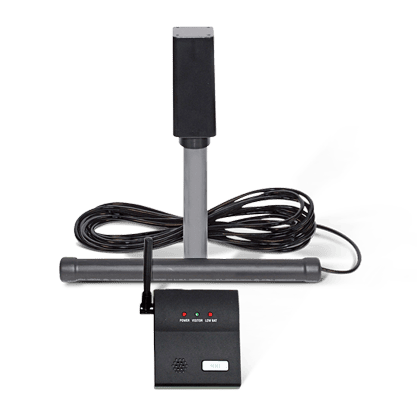
## Vehicle Detector System
- [Vehicle Detector Setup Guide](/wp-content/uploads/support/VDS-Layout-Configurations.pdf)
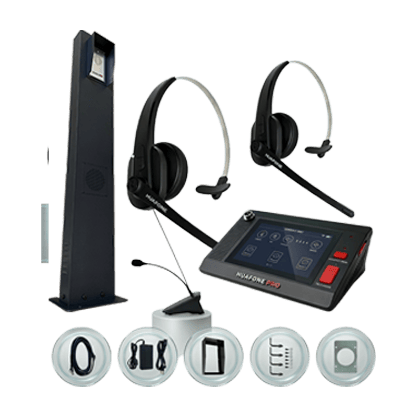
## Drive-Thru Pro Intercom System Kit
- [Pro Intercom System Kit Quick Guide](/wp-content/uploads/support/Kit-3-Quick-Guide.pdf)
- [Pro Intercom System Kit Speaker Post Setup Guide](/wp-content/uploads/support/Kit-3-Speaker-Post-Setup-Guide.pdf)
- [Pro Intercom System Kit Re-Pairing Headset Guide](/wp-content/uploads/support/Re-Pairing-Headset-Kit-3.pdf)
## Testing & Diagnostics Guide
Find your symptom below and work through the steps in order. Each section lists the most likely causes first, the fix for each, and what to send us if it is still not resolved. *Last reviewed: September 9, 2026.*
Before you install: 10-minute bench test (all kits)
Test the system on a table before you mount anything. Most faults reported after installation are cable or setup issues that a bench test catches in minutes, and it is far easier to fix them indoors.
1. Connect the base station, speaker post (or substation) and power supply exactly as the quick guide shows, using the supplied cable.
2. Power on. Confirm the base station boots and, on Kit 3, the 5-inch touch screen responds.
3. Pair every wireless headset (Kit 2 and Kit 3) and confirm each shows as paired. On Kit 3 note which headset is labeled **Main** and which is **Listening**.
4. Have one person speak at the speaker post while another listens at the base station or headset: confirm audio both ways (inbound and outbound).
5. On Kit 3, wave a hand or move a metal object in front of the ProPanel® sensor: the mic and speaker should go live, then mute again about three minutes later.
6. If anything fails on the bench, work through the matching symptom below before installing.
*Keep the box and packing until the system passes on the bench and again after installation.*
Driver can’t hear staff (outbound audio)
**Applies to:** Pro Intercom System AIO-K3-L1 / AIO-K3-L2 and the Pro Bundles. Outbound path: base station or headset → outdoor speaker.
The base station runs in **one** mode at a time: **POS Wireless** (staff talk through the Main headset) or **Fixed Mic** (staff talk into the base station mic). The Listen-In headset is receive-only and cannot take orders. Confirm the mode and the headset label before anything else.
\#Root causeFix1**Wrong headset in use**: the receive-only *Listening* headset is worn instead of the *Main* headset. On older systems both look identical.Check the label on the headset; it must read “Main”. Keep the two on separate chargers or color-code them.2**Main headset muted, unpaired, or volume down.**Clear mute, confirm it shows as paired (re-pair if not), raise the volume. Then check the POS headset volume and mute on the touch screen too.3**Base station stuck in Fixed Mic mode** while staff use the wireless headset.Switch the base station to POS Wireless mode.4**Touch-screen mute left on** for the built-in speaker or gooseneck mic (for example after setup).On the 5-inch screen, confirm the POS headset, gooseneck mic and built-in speaker are all unmuted and in Talk mode.5**Base station fault**: audio fails in both modes.Run the isolation test below. If both modes fail after ruling out 4 and the ProPanel® auto-mute, contact support.6**CAT5e cable** between the speaker post and base station loose, damaged or not fully seated.Reseat both ends; check for bent pins, corrosion or damage. Replace if damaged.#### Isolation test: wireless side or base station?
Switch the base station to **Fixed Mic mode** and speak into the fixed mic while someone stands at the speaker post.
- **Driver hears you:** the Fixed Mic path is good and the fault is on the wireless side. Verify the Main headset is in use, paired and unmuted, and that the base station is back in POS Wireless mode.
- **Driver does not hear you:** both modes fail. Rule out the touch-screen mute (cause 4) and the ProPanel® auto-mute at the post (is a vehicle present?). If both are clear, suspect the base station, the post-to-base wiring, or the outbound speaker. Contact support with the result.
**Still not resolved?** Send us: Photos of the outdoor speaker post (front and back), confirmation of the electrical connections, and a short video of an actual order attempt. Have your order number, purchase date and product ready. [Download this guide as a PDF](https://avio-tech.com/wp-content/uploads/support/Avio-K3-Outbound-Audio-Diagnostics.pdf).
Staff can’t hear the driver (inbound audio)
**Applies to:** Pro Intercom System AIO-K3-L1 / AIO-K3-L2 and the Pro Bundles. Inbound path: speaker post microphone → base station.
The speaker post houses two units in one factory-installed ProPanel®: the **mic / substation** at the top (inbound) and the **speaker** at the bottom (outbound). The built-in sensor unmutes both when a vehicle arrives and mutes them again about three minutes after it leaves; muting with no vehicle present is normal.
**New installation?** Start with the CAT5e cable (cause 2) and confirm the sensor detects a vehicle (cause 5). **In service for a while?** The weatherproof seal is the usual suspect (causes 3 and 4).
\#Root causeFix1**Speaker post location** not per the installation guide (height, distance, angle).Reinstall the post at the correct location and height per the guide.2**Cable connection**: CAT5e between post and base station loose, damaged or not seated.Inspect and reseat both ends; replace the cable if damaged.3**Weatherproof seal breach**: moisture or debris has reached the mic.Replace the outside speaker unit, or the whole post assembly if damage extends beyond the speaker.4**Substation seal failure at the mic element.**Replace the substation (top mic unit).5**Auto-mute not releasing**: the ProPanel® sensor does not detect the vehicle, so the mic stays muted.Confirm the sensor detects a vehicle arriving and leaving. If not, treat it as a sensor setup or placement issue before suspecting the mic.**Quick check for cause 5:** park a vehicle at the post. Within seconds the mic and speaker should go live; about three minutes after it leaves they should mute. If they never unmute, the problem is detection, not the microphone.
**Still not resolved?** Send us: Photos of the outdoor speaker post (front and back), confirmation of the electrical connections, and a short video of an actual order attempt. Have your order number, purchase date and product ready. [Download this guide as a PDF](https://avio-tech.com/wp-content/uploads/support/Avio-K3-Inbound-Audio-Diagnostics.pdf).
Headset won’t pair, drops pairing, or has no audio
**Applies to:** Wireless Headset System (Kit 2) and Pro Intercom System (Kit 3).
1. Charge the headset fully first. A low battery is the most common reason a headset pairs and then drops.
2. On Kit 3, confirm you are pairing the **Main** headset to the base station. The **Listening** headset pairs to its own transmitter/charging unit, not to the base station, and only receives audio.
3. Confirm the base station is in **POS Wireless** mode; in Fixed Mic mode the headset is not used.
4. Re-pair following the [Kit 3 re-pairing guide](https://avio-tech.com/wp-content/uploads/support/Re-Pairing-Headset-Kit-3.pdf) (Kit 2: see the [quick guide](https://avio-tech.com/wp-content/uploads/support/Kit-2-Quick-Start.pdf)).
5. Check headset mute and volume, then the per-device volume and mute on the base station.
6. If the headset pairs but audio drops when you walk away, move the base station away from metal cabinets, Wi-Fi access points and other 2.4 GHz equipment, and keep it off the floor.
**Still not resolved?** Send us a short video of the pairing attempt and the base station screen, plus your order number and purchase date.
Vehicle not detected, or the mic stays muted
**Kit 3 speaker post (ProPanel® sensor):** the sensor is what unmutes the mic and speaker. Confirm it reacts when a vehicle pulls up and re-mutes about three minutes after it leaves. If it never reacts, check the CAT5e cable and the post position before suspecting the panel.
**Vehicle Detector System (AIO-VDS), used with Kit 1, 2 and 3:** a buried sensor wand connects to an outdoor transmitter, which signals the indoor receiver/chime wirelessly.
#### First check: does the transmitter LED flash when a car passes?
- **Flashes, but no chime indoors:** the wand is fine; the fault is on the wireless or receiver side. Move the receiver away from metal cabinets and other wireless equipment, make sure it is on an unswitched outlet, and check distance (rated up to 400 ft).
- **Does not flash:** the fault is on the wand, cable, sensitivity or battery side. Replace the transmitter battery, check the cable run and splice for water or edger damage, and adjust sensitivity.
#### Placement checklist
- Wand within 2 ft of the driveway edge, buried about 1 ft deep, at least 25 ft from the roadway and other traffic.
- About two car lengths ahead of the speaker post, where cars actually stop today (queue, paving or menu-board changes can move that spot).
- On a curved lane, install on the **inside** of the curve only.
- Keep the wand away from rebar, conduit, HVAC units, walk-in condensers and transformers; cycling electrical loads and buried metal cause misses and false triggers.
If only certain vehicles are missed (aluminum-body pickups, some EVs), that is a weak metal signature, not a fault; raise sensitivity slightly. If a detector keeps failing after parts have been replaced, the wand location is wrong for the site. See the [Vehicle Detector Setup Guide](https://avio-tech.com/wp-content/uploads/support/VDS-Layout-Configurations.pdf).
Menu board won’t light, or lights partially
**Applies to:** LED backlit menu boards (AIO-MBW-1P, AIO-MBF-1P, AIO-MBF-2P) and the Pro Bundles.
1. Confirm power at the board: the outlet is live and unswitched, and the power supply LED (where fitted) is on.
2. Check the connections between the power supply and the LED panel inside the housing; a plug that vibrated loose in shipping is the most common cause on a new board.
3. One panel lit, one dark on a 2-panel board: swap the panel connectors to see whether the dark side follows the panel or the supply. That tells us which part to replace.
4. Dim or flickering: check the supply voltage and for water inside the housing after heavy rain; confirm the housing gasket seats fully when closed.
5. Follow the [AV-90 setup guide](https://avio-tech.com/wp-content/uploads/support/AV-90-Menu-Board-Set-Up-Guide.pdf) for the panel and graphic installation steps.
**Still not resolved?** Send us photos of the inside of the housing with the door open, the power supply label, and a short video of the fault, with your order number.
Before you contact support: what to have ready
Working through the steps above first is the fastest path to a fix. When you do reach out, this is what lets us resolve most cases in one exchange:
- **Order number, purchase date and product**, so we can pull up your order immediately.
- **Which steps you completed** and what you observed at each one.
- **Photos** of the outdoor speaker post, front and back, and of the electrical connections.
- **A short video** of an actual order attempt. It tells us whether the problem is inbound, outbound or both.
Email , call [(800) 886-5607](tel:+18008865607), or use the chat on this site. Warranty and return requests start with the form in the Return & Refund section below.
**Download the guides:** [K3 Outbound Audio Diagnostics (PDF)](https://avio-tech.com/wp-content/uploads/support/Avio-K3-Outbound-Audio-Diagnostics.pdf) | [K3 Inbound Audio Diagnostics (PDF)](https://avio-tech.com/wp-content/uploads/support/Avio-K3-Inbound-Audio-Diagnostics.pdf)
## Frequently Asked Questions
How do I place an order?
- Search for the item you wish to buy.
- Tap the “Add to Cart” button.
- Once you’re done, click the cart icon at the top right of the page to view your items.
- Select the items on cart you wish to order.
- Click “Proceed to Check out” to confirmed.
- Select your preferred payment method.
- Make sure that your order and billing details are correct before proceeding to “Place Order”.
- A confirmation text/email will appear once your order has been successfully placed.
How much is the Shipping Fee?
Avio Technologies uses **UPS** for orders within the continental **United States,** and for international orders. Shipping rates will be calculated by UPS calculator at the check out.
Ordered placed before 2:00PM Central Time during work days will be shipped out in the same day.
How long will the delivery take?
The delivery time will depend on the UPS shipping method you selected.
Orders placed before 2:00PM Central Time during work days will be shipped out in the same day.
How can I track my parcel?
You will receive an automated email containing your parcel’s tracking information when shipment has been made.
You can also track your parcel with your order number via ORDER TRACKER located at the bottom of the page, under INFORMATION
Do the Drive-Thru Kits have a warranty?
Yes, all Drive-Thru Intercom Kits have a one-year warranty.
Where should the speaker be installed?
**Speaker should be installed:**
1. Approximately 4-ft up from ground.
2. Within 3-ft between speaker and the driver.
*Note: If your menu board is more than 3-ft from the driver, do not mount speaker to menu board. Use a speaker post.*
My speaker location requires longer wires. What to do?
**For Kit 1 and Kit 2:** Most customers found the included 60-ft Avio-engineered wires are adequate. However, in case you need additional 30-ft or 60-ft Avio-engineered extension wires, please visit www.avio-tech.com.
In the rare case that your speaker location requires longer than 120-ft wires, please contact Avio Technologies Tech Support for more instructions.
**For Kit 3:** A 10-ft of Cat 5 cable is included for pre-installation system testing. Use your own Cat 5 cable that meets your length requirements, up to 250-ft, for your site.
I am replacing an old intercom. What do you recommend?
Take advantage of your current installed wires. Our Avio Wiring Retrofit Adaptors Kit’ can convert existing wires and will make your installation much easier at a minimum cost.
*Visit* [www.avio-tech.com](http://www.avio-tech.com/)*.*
I cannot hear customers, and/or customers cannot hear me. Why?
*Please check these possible installation errors, step by step:*
***Step 1**:***Error:**Wrong port is used.**Solution:Ensure 3.5mm speaker wire is plugged into “OUT” port on the back of master station. (Not “MIC”, which is used for recording conversation with optional equipment.)***Step 2:***Error:**3.5mm plugs are not plugged-in completely at master station and speaker.**Solution:Check all the plugs.***Step 3:***Error:**Extension wires are disconnected during wire installation through conduit.**Solution:Tape 3.5mm male end to female end before pulling wires through conduit. Prevent rain and excessive moisture.***Step 4:***Error:**Speaker is installed too far from customers, too low from ground.**Solution:Please see page 1 for proper speaker location.***Step 5:***Error:**Headset is not paired properly to master station.**Solution:Please refer to “Quick Start”. Pairing process is not complete until pairing confirmation announcement is heard over headset.***Step 6:***Error:**Volume Control on master station is turned off.**Solution:Turn the volume knob clockwise to max.***Step 7**:***Error:**MIC1 Push Button on master station is turned off.**Solution:Ensure indicator light above MIC1 button is on.***Step 8:***Error:**Mute function on headset is accidentally selected.**Solution:Refer to “Quick Start”to unmute headset.***Step 9:***Error:**SmartSpeaker® privacy feature is activated.**Solution:SmartSpeaker® will automatically turn to mute mode 45 second after the previous customer leaves, until the built-in sensor detects the next customer. During testing, have a second person stand in front of speaker to unmute speaker.**Still stuck?** Our [Testing & Diagnostics Guide](#diagnostics) walks through this symptom step by step: “Driver can’t hear staff” and “Staff can’t hear the driver,” with the most likely causes, the fix for each, and a quick test to tell whether the fault is on the headset side or the base station.
**How long do I have to return an item?**
All returns must be made within 30 days of delivery.
**What items are returnable for refunds?**
**New or Unused Items**
- Pre-approved returns must be in their original condition – with all original components.
- Returned parts cannot be disassembled, painted, mounted or damaged due to incorrect or attempted installation.
- All items must be repackaged in their original, undamaged packaging.
- Installed, plugged in, or unsealed electrical parts or components are not refundable.
**Is there a restocking fee?**
Returned parts are subject to a 15% restocking.
**How do I package my return?**
All items must be repackaged in their original, undamaged packaging.
Parts must be in their original condition – with all original components. The part cannot be disassembled, painted, mounted or damaged due to incorrect or attempted installation.
****Who is financially responsible for return shipping charges?****
You are responsible for all return shipping charges.
******When will I receive my refund?******
If your returned is approved, you should receive your credit within 15 days of the date we receive the return at our warehouse.
Credit will be applied to the same credit card or account used for the purchase.
## Return & Refund
### Start a return or warranty request
Answer a few quick questions and we will route your request to the right team. Takes about a minute.
Company website
#### Your order
First name \*
Last name \*
Email \*
Phone Helpful if our tech team needs to walk you through a fix.
Order number \* On your order confirmation email.
Delivery date \* The day the order arrived.
Which product? \* Please select Entry Kit (AIO-K1) Wireless Headset (AIO-K2-L1) Pro Intercom System (AIO-K3-L1) Pro Intercom Bundle (AIO-BNDL-K3L1-MBW2P-CAM) LED Backlit Menu Board Drive-Thru Sign - Directional or Height Clearance Headset, speaker, battery or other accessory Other or not sure
Continue
#### Has the product been installed or used?
This decides whether your request is handled as a return or under warranty.
No — it is still unused and uninstalled Returns are accepted within 30 days of delivery if the item is unused, uninstalled and in resellable condition. Yes — it has been installed or used Installed or used items fall outside the return policy, but they are covered by our 12-month warranty and our tech team will help you get it working.
Back Continue
#### About the return
What condition is the item in? \* Please select Unused, uninstalled, with all parts and original packaging Opened but unused - some packaging missing Not sure
Why are you returning it? \* Please select Ordered the wrong product No longer needed Arrived damaged or defective Not compatible with my setup Other
Back Continue
#### Tell us what is happening
Because the product has been installed or used, this is covered by the **12-month warranty** rather than the 30-day return policy. Our technical support team will work with you to find a solution.
What is the product doing? \* The more detail you give us, the faster we can pinpoint the fix.
What have you already tried?
I have worked through the [Testing & Diagnostics Guide](#diagnostics) steps for this symptom. \* Most warranty issues are resolved by the steps in the guide. Checking them first gets you a faster answer.
Back Continue
#### Add photos or a short video
Optional, but it speeds things up a lot.
Choose files or drag them here · up to 5 files, 25 MB each
Back Submit request
✓
Need it sorted sooner? Call a product specialist at **800-886-5607 ext. 2**.
## Warranty Policy
## Product Warranty
Avio Technologies warrants that its drive thru product line will be free from defects in material and manufacture for the period indicated below from the date of shipment to purchaser by Avio Technologies or its authorized dealer. If the Avio Technologies product does not conform to this warranty, the sole and exclusive remedy is, at Avio Technologies’s option, repair or replacement of the Avio Technologies product or refund of the purchase price. NEITHER AVIO TECHNOLOGIES NOR YOUR RETAIL DEALER OR SELLING DISTRIBUTOR SHALL BE LIABLE FOR ANY INCIDENTAL OR CONSEQUENTIAL DAMAGES FOR BREACH OF ANY EXPRESS OR IMPLIED WARRANTY ON THE PRODUCTS, INCLUDING WITHOUT LIMITATION COMMERCIAL LOSS, INCIDENTAL EXPENSES, LOSS OF TIME, OR INCONVENIENCE. EXCEPT TO THE EXTENT PROHIBITED BY LAW, THE WARRANTY IS EXCLUSIVE AND IN LIEU OF ALL OTHER EXPRESS AND IMPLIED WARRANTIES WHATSOEVER, INCLUDING BUT NOT LIMITED TO THE WARRANTY OF MERCHANTABILITY AND FITNESS FOR A PRACTICAL PURPOSE.
This warranty does not cover:
- Repair or replacement of existing cable or wiring
- Product failure caused by misuse, abuse, accident or neglect, improper installation or operation, improper storage, or unapproved modifications
- Avio Technologies products that are installed or serviced by a non-Avio Technologies authorized party.
- Products which have not been charged for six (6) months. If the battery in a product has not been charged for a period of six (6) months, the product might not function or regain its full potential and long-term performance. Avio Technologies does not offer any warranty for such performance. It is the owner’s responsibility to operate and care for the products in accordance with the instructions and specifications supplied with the products. Repairs resulting from failure to do so are not covered by the Warranty.
- Other acts which are not the fault of Avio Technologies.
- Specifically exempt from warranty are limited-life consumable components subject to normal wear and tear, such as microphone windscreens, ear cushions, modular plugs, ear tips, ear hooks, decorative finishes, batteries, and other accessories including all foam products.
- The Warranty is invalid if the factory-applied serial number, date code label, and/or product label has been altered or removed from the products.
- Non-Avio Technologies products or accessories or any damage to Avio Technologies products caused by such non-Avio Technologies products or accessories.
- In no event will Avio Technologies be liable for incidental or consequential damages or the loss of profits arising from the use or inability to use any Avio Technologies products or from accidents or acts of god.
- Activities that cause power spikes or similar results can impact the performance and life any electronic devices. These results of situations are not considered a result of any manufacturer’s defects and therefore not covered as part of the Warranty. We do recommend you consider purchasing a quality power conditioning/surge protection unit for your system as well as any other key electronic devices in your stores to help mitigate any risk should such a situation occur.
The Warranty sets forth the extent and limit of Avio Technologies obligations towards the end-user of the products except as modified by applicable Law. AVIO TECHNOLOGIES MAKES NO WARRANTIES, EXPRESS OR IMPLIED, INCLUDING WARRANTIES OF MERCHANTABILITY AND FITNESS FOR A PARTICULAR PURPOSE, WITH RESPECT TO AVIO TECHNOLOGIES PRODUCTS, EXCEPT AS SPECIFICALLY SET FORTH ABOVE.
ProductWARRANTY PERIODHeadsets and Base Station12 monthsTop Batteries and Battery Charger12 monthsSpeaker, Microphone, Cable12 monthsConsumable items (ear cushions)Not WarrantedOut of Warranty Repair / Service Parts6 months
***NOTE.*** *The Warranty gives you specific legal rights. You may also have other rights which vary from state to state. Some jurisdictions do not allow the exclusion or limitation of incidental or consequential damages or implied warranties, so the above exclusions may not apply to you. The Warranty does not affect your statutory legal rights under your applicable national or local laws.*
## Still Need Help?
Reach our team instantly — no ticket required.
### Call Us or Email Us
Speak with our support team
[(800) 886-5607](tel:8008865607)
### Text Us
Send our Tech Support team a message
[(512) 660-7778](sms:+15126607778)

### Chat Now
Chat for quick help on product issues, orders, and more.
Chat Now
---
### [Kit Finder](https://avio-tech.com/selection-guide/)
**Published:** July 6, 2026
**Author:** jsalazar
**Content:**
YOUR PERSONAL ASSISTANT
## Find Your Avio Drive-Thru Kit
[COMPARE KITS](#compare-kits)[KIT FINDER](#kit-finder)
Not sure where to start? Compare all four kits, or let the Kit Finder walk you through it.
Prefer to talk it through? Call [1-800-886-5607](tel:18008865607)**.**
AVIO DRIVE-THRU
## Compare All Four Kits Side by Side
SKU
Type
Best For
Key Components
What’s Not Included
Speaker Post Included?
Installation
Price Positioning
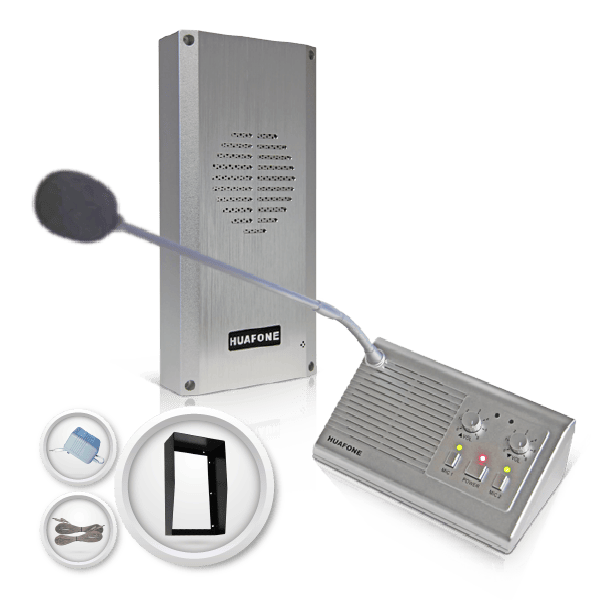Cost Effective
Entry Kit
The Essential Foundation
$985
AIO-K1
Drive-thru intercom system — Fixed Mic
Budget-conscious independents needing simple, professional communication
Base station; all-weather vandal-proof outdoor speaker substation
Speaker post, vehicle detector ([AIO-VDS](/product/vehicle-detector-system/), $275) and weather hood ([$115](/product/speaker-weather-hood/)) are ordered separately
**Not included** — mount the speaker on your existing post or wall. Need a post? [Ask us](/contact-us/)
Self-install, straightforward
Most affordable entry-level
[Order Now →](https://avio-tech.com/product/kit-1-drive-thru-intercom-system-and-vehicle-detector-system/) [Talk to us first →](/contact-us/)
Convenient
Wireless Headset
Wireless Mobility
$1,550
AIO-K2
Wireless headset system
Busy coffee shops, ice cream parlors, quick-service spots wanting staff mobility
Wireless base station; long-range headset; vandal-resistant loudspeaker (SmartSpeaker®)
Speaker post and vehicle detector ([AIO-VDS](/product/vehicle-detector-system/), $275). Weatherhood is included; a listen-in headset is a +$115 upgrade
**Not included** — mount the speaker on your existing post or wall. Need a post? [Ask us](/contact-us/)
Self-install, flexible mounting
Popular mid-tier value
[Order Now →](https://avio-tech.com/product/kit-3-wireless-headset-drive-thru-intercom-system/?attribute_pa_listen-in-headsets=none) [Talk to us first →](/contact-us/)
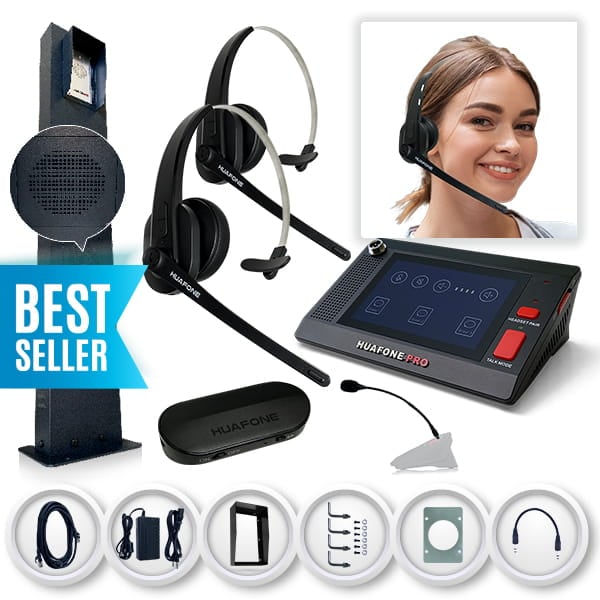Most Popular
Pro Intercom System
Dual-Mode Drive-Thru System
$2,850
$2,965 with 2 Listen-In headsets
AIO-K3-L12 headsets: AIO-K3-L2
Dual-mode (wired + wireless) headset — pro system
Higher-volume independents or small chains needing max range & durability
Touch-screen base station; Pro Series wireless headset; maximum-range components; Pro Series Speaker Post Assembly
Nothing extra for the intercom itself — speaker post, weatherhood and mounting hardware are all included
**Yes** — rugged Pro Series Speaker Post Assembly (vandal-resistant aluminum alloy ProSpeaker®, steel weatherhood, mounting hardware)
DIY-workable — a more involved dedicated post setup than the Entry and Wireless kits, but no contractor needed
Complete drive-thru system
[Order Now →](https://avio-tech.com/product/kit-3-pro-series-drive-thru-headset-system-pro-series-wireless-base-station-pro-series-wireless-headset-and-pro-series-speaker-post-assembly/?attribute_pa_listen-in-headsets=1-headset) [Talk to us first →](/contact-us/)
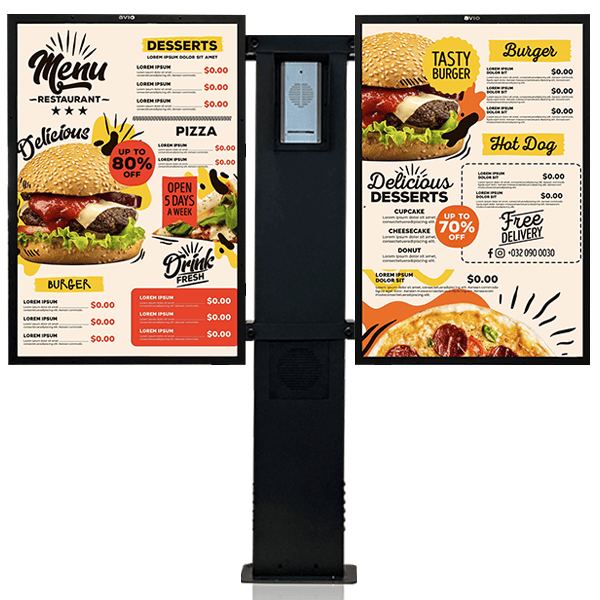Best Value
Pro Intercom Bundle
The Full Ecosystem
From $4,950
$5,480 with the camera system
AIO-BNDL-K3L1-MBW2PAdd the camera: AIO-BNDL-K3L1-MBW2P-CAM
Dual-mode (wired + wireless) pro system + LED-backlit menu boards, with & without camera option
Growing spots wanting a complete, eye-catching outdoor upgrade
Everything in the Pro Intercom System (AIO-K3-L1), plus integrated LED-backlit menu boards (AIO-MBW-2P) and camera (AIO-BNDL-K3L1-MBW2P-CAM) — all in one complete system
Camera is the $5,480 build; the $4,950 build has no camera. Menu boards need a 110V outlet
**Yes** — as in the Pro Intercom System, integrated with the menu boards
Floor-mounted — menu boards require 110V power, so factor in an electrician if outlets aren’t already in place
Drive-thru system integrated with menu board and camera — the ultimate all-in-one investment
[Order Now →](https://avio-tech.com/product/hybrid-bundle/) [Talk to us first →](/contact-us/)
Built by Avio since 2017Self-install — no contractor neededUS-based support: [(800) 886-5607](tel:+18008865607)
Kit Finder
'; html += '### ' + s.headline + '
'; if (s.subtext) html += '' + s.subtext + '
'; html += ''; s.options.forEach(function (opt) { html += '' + '' + opt\[0\] + '' + opt\[1\] + ''; }); html += '
'; html += '' + (state.history.length > 1 ? '← Back' : '') + '
'; el.innerHTML = html; el.querySelectorAll('.akf-option').forEach(function (btn) { btn.addEventListener('click', function () { select(btn.getAttribute('data-key'), btn.getAttribute('data-value')); }); }); var backBtn = document.getElementById('akf-back-btn'); if (backBtn) backBtn.addEventListener('click', goBack); } // The quiz opens straight on question 1 - no intro card, no second click. function renderStart() { state.history = \['segment'\]; state.answers = {}; render('segment'); } // Any "Kit Finder" link on the page (hero pill, table cues) restarts the // quiz at question 1 and scrolls it into view. // Keep the quiz clear of the sticky header when we scroll to it. function finderOffset() { var pad = 16; var best = 0; var els = document.querySelectorAll('.whb-main-header, .whb-sticky-real, #wpadminbar'); for (var n = 0; n !== els.length; n++) { var cs = window.getComputedStyle(els\[n\]); if (cs.position === 'fixed' || cs.position === 'sticky') { var r = els\[n\].getBoundingClientRect(); if (r.bottom > best) { best = r.bottom; } } } if (!best) { best = 80; } return best + pad; } function jumpToFinder(e) { if (e) e.preventDefault(); renderStart(); var anchor = document.getElementById('kit-finder') || document.getElementById('akf-widget'); if (!anchor) return; var top = anchor.getBoundingClientRect().top + window.pageYOffset - finderOffset(); top = Math.max(0, top); try { window.scrollTo({ top: top, behavior: 'smooth' }); } catch (err) { window.scrollTo(0, top); } if (window.history) { if (window.history.replaceState) { window.history.replaceState(null, '', '#kit-finder'); } } } Array.prototype.forEach.call( document.querySelectorAll('a\[href="#kit-finder"\]'), function (a) { a.addEventListener('click', jumpToFinder); } ); window.avioKitFinderStart = jumpToFinder; // ---- RECOMMENDATION LOGIC ------------------------------------------ function computeResult() { var a = state.answers; // 2+ lanes: no off-the-shelf SKU covers it, route to a custom quote. if (a.lanes === 'multi') { return { custom: true, badge: 'Custom Configuration', headline: 'Your setup needs a custom build', reasons: \[ 'Two or more lanes need their own speaker stations, lane switching at the base, and headset channels that don’t bleed between lanes', 'We size the system to your lane layout, wiring runs, and headset count — not a one-size kit', 'Tell us your lane count and we’ll price the exact configuration, usually the same business day' \], addons: \[\] }; } var kit, reasons = \[\], addons = \[\], upgrade = null; if (a.volume === 'low') { kit = PRODUCTS.entry; reasons.push('Fixed gooseneck mic at the window — the right call when one person works the lane'); reasons.push('Lowest cost entry into a real drive-thru intercom, DIY self-install'); reasons.push('Uses standard speaker wire, so the install stays simple'); } else if (a.volume === 'medium') { kit = PRODUCTS.wireless; reasons.push('Wireless headset so your crew keeps taking orders while they move'); reasons.push('Add a listen-in headset on the product page when you want a second person hearing the lane (+$135)'); reasons.push('Vandal-resistant SmartSpeaker with privacy sensor and 60 ft of factory wiring'); } else { kit = PRODUCTS.pro; reasons.push('Dual-mode: wireless headset plus a fixed mic as failsafe, so a busy lane never drops an order'); reasons.push('Vehicle detector, speaker post, and weather hood all included'); reasons.push('CAT5 wiring for the cleanest, most reliable signal run'); } var wantsBoth = (a.menu === 'yes' && a.camera === 'yes'); // Menu board + camera together: the bundle is cheaper than buying the parts. if (wantsBoth && (a.volume === 'medium' || a.volume === 'high')) { kit = PRODUCTS.bundle; reasons = \[ 'Everything in the Pro Intercom System, plus the two LED menu boards and live camera you asked for', 'Bundled well below the cost of buying the system, boards, and camera separately', 'One order, one shipment, one install — instead of three' \]; } else { if (a.menu === 'yes') { addons.push(a.volume === 'low' ? ADDONS.menuboard1 : ADDONS.menuboard2); } if (a.camera === 'yes') addons.push(ADDONS.camera); // Entry and Wireless kits don't include a vehicle detector. if (kit === PRODUCTS.entry || kit === PRODUCTS.wireless) addons.push(ADDONS.detector); // Entry kit doesn't include the weather hood either. if (kit === PRODUCTS.entry) addons.push(ADDONS.weatherhood); if (wantsBoth && a.volume === 'low') { upgrade = 'Adding a board and a camera on top of the Entry Kit gets close to the ' + '[Pro Intercom Bundle]() (' + PRODUCTS.bundle.price + '), which includes two LED boards, the camera, a vehicle detector, and the ' + 'full Pro system. Worth comparing before you buy.'; } } if (a.wiring === 'existing') addons.push(ADDONS.wiring); return { custom: false, kit: kit, reasons: reasons, addons: addons, upgrade: upgrade }; } function renderResults() { progressTrack.style.display = 'block'; progressFill.style.width = '100%'; var result = computeResult(); var html = ''; if (result.custom) { html += '' + result.badge + '
'; html += '### ' + result.headline + '
'; html += 'Multi-lane drive-thrus aren’t a stock kit. Send us your lane count and we’ll spec it.
'; html += ''; result.reasons.forEach(function (r) { html += '- ' + r + '
'; }); html += '
'; html += '' + '[Contact Us For A Custom Setup →]()' + '[Call ' + PHONE\_DISPLAY + ']()' + '
'; } else { html += 'Your Recommendation
'; html += '### ' + result.kit.name + '
'; html += 'SKU ' + result.kit.sku + '
'; html += '' + result.kit.price + '
'; html += ''; result.reasons.forEach(function (r) { html += '- ' + r + '
'; }); html += '
'; if (result.addons.length) { html += '**Recommended add-ons:**'; result.addons.forEach(function (p) { html += '- • [' + p.name + ']() — ' + p.price + '
'; }); html += '
'; } if (result.upgrade) { html += '**Worth a look:** ' + result.upgrade + '
'; } html += '' + '[Shop This Kit →]()' + '[Talk To A Specialist]()' + '
'; } html += '' + 'Want this emailed to you, with a specialist follow-up?
' + '' + '' + '' + '' + 'Send It' + '
' + '' + '
' + '
'; html += '[Compare all systems side by side →]()
'; html += '[↺ Start over](#)
'; el.innerHTML = html; document.getElementById('akf-restart-link').addEventListener('click', function (e) { e.preventDefault(); renderStart(); }); document.getElementById('akf-lead-form').addEventListener('submit', function (e) { e.preventDefault(); submitLead(result); }); } function submitLead(result) { var name = document.getElementById('akf-name').value.trim(); var email = document.getElementById('akf-email').value.trim(); var note = document.getElementById('akf-lead-note'); var a = state.answers; var recommended = result.custom ? 'Multi-Lane Custom Quote' : result.kit.name + ' (' + result.kit.sku + ')'; var addonNames = (result.addons || \[\]).map(function (p) { return p.name; }).join(', '); if (!HUBSPOT\_CONFIG.enabled) { note.textContent = 'Thanks! (HubSpot connection not yet configured — see setup guide.)'; return; } var endpoint = 'https://api.hsforms.com/submissions/v3/integration/submit/' + HUBSPOT\_CONFIG.portalId + '/' + HUBSPOT\_CONFIG.formGuid; var payload = { fields: \[ { name: 'email', value: email }, { name: 'firstname', value: name }, { name: 'quiz\_segment', value: a.segment || '' }, { name: 'quiz\_lane\_count', value: a.lanes || '' }, { name: 'quiz\_volume', value: a.volume || '' }, { name: 'quiz\_menu\_board', value: a.menu || '' }, { name: 'quiz\_camera', value: a.camera || '' }, { name: 'quiz\_wiring', value: a.wiring || '' }, { name: 'quiz\_recommended\_kit', value: recommended }, { name: 'quiz\_recommended\_addons', value: addonNames } \] }; note.textContent = 'Sending...'; fetch(endpoint, { method: 'POST', headers: { 'Content-Type': 'application/json' }, body: JSON.stringify(payload) }).then(function (res) { if (res.ok) { note.textContent = 'Thanks — we’ll be in touch shortly.'; } else { note.textContent = 'Thanks! (Something went wrong sending to HubSpot — check console.)'; } }).catch(function () { note.textContent = 'Thanks! (Network error sending to HubSpot — check console.)'; }); } if (window.location.hash === '#kit-finder') { setTimeout(function () { jumpToFinder(); }, 150); } renderStart(); })();
---
### [Products](https://avio-tech.com/products/)
**Published:** July 14, 2021
**Author:** jsalazar
---
### [Contact us](https://avio-tech.com/contact-us/)
**Published:** August 25, 2021
**Author:** jsalazar
**Content:**
## AVIO TECHNOLOGIES LLC
Contact Avio Technologies for sales, dealer, or support questions, or[ visit our support center](/support/) online, o[r get directions to our office.](https://www.google.com/maps/search/?api=1&query=3883+E+University+Ave+Suite+1181+Georgetown+TX+78626)
## Sales & Customer Care Center
3883 E. University Ave, Suite 1181
Georgetown, Texas 78626 USA
## Sales Department
Email:
Toll Free: [ (800) 886-5607](tel:8008865607)
[Live Chat with us](#)
## Tech Support
Email:
Toll Free: [ (800) 886-5607](tel:8008865607)
WhatsApp: [+15126607778](tel:15126607778)
[Live Chat with us](#)
## CONTACT US FOR ANY QUESTIONS
## Need Help Right Now?
Skip the form — reach us instantly.
### Text Us
Send our Tech Support team a message
[(512) 660-7778](sms:+15126607778)
### Chat Now
Chat for quick help on product issues, orders, and more.
Chat Now
## Avio Technologies LLC
3883 E University Ave Suite 1181, Georgetown, TX 78626, USA

## FAST SHIPPING
Reliable and fast delivery

## 30 DAYS RETURN
Consumer protection

## BEST QUALITY
Many years on the market
---
### [Our Customers](https://avio-tech.com/our-customers/)
**Published:** July 6, 2026
**Author:** jsalazar
**Content:**
## Small Restaurants. National Chains. Trusted by Both!
From single-location diners to recognizable names in the QSR space, drive-thru operators across the country run on Avio systems every shift — because when the lane’s backed up, you need equipment that just works.
[SHOP OUR KITS →](/product-category/drive-thru-intercom-kits/)


## What Keeps Customers Coming Back
It’s not just hardware — it’s a headset that works on day one, a weatherproof speaker that survives any winter, and a support line that actually picks up. That’s what turns first-time buyers into repeat customers.

Check out our latest
## What Our Customers are Saying?
Small business owners like me face unique challenges, and demand reliable communication equipment, without the fancy (and expensive) bells and whistles, to grow our bottom lines.
**MaryAnn** – Independent restaurant owner
★★★★★
Just finished setting up this product. It was so hassle free as everything was included in the kit along with instructions. I never felt i could do it myself and would require an engineer to help me set it up but it was so easy and quick! Just loving it!!!! Thank you huafone.
**Naomi** – Starter Kit owner
★★★★★
Compared this system with other $3000+ systems. It turns out this one is perfect for my small restaurant.
**Mike’s Grill** – Standard Kit owner
★★★★★
Good product! Loved the design and finish of the product. The all weather speaker is reliable and audible up to a great extent. Delivery was on time and packing was also good. Would definitely recommend this to my brothers restaurant as well!
**Tim** – Starter Kit owner
★★★★★
Purchase this product last week and loved the delivery time, the packaging was good and the product was easy to setup. The all-weather loud speaker looks good and is really loud! Thank you, Avio Technologies! Kudos!
**Abigail** – Small business owner
★★★★★
Great seller… have bought before and have come back…
**Maria Mitchell** – Starter Kit owner
★★★★★
Received today. Headset pairing with master is surprisingly easy and fast. Good sound quality.
**B.B. Burger** – Standard Kit owner
★★★★★
Leave a review### Leave a review
Tell other drive-thru operators how your Avio kit is working out. We read every one.
Prefer email? Send it to .
---
### [In the News](https://avio-tech.com/news/)
**Published:** July 4, 2026
**Author:** jsalazar
**Content:**
Avio Technologies in the headlines — from national coverage of the drive-thru surge to the local story of how our systems helped small businesses stay open when it mattered most.
[](https://www.fox2detroit.com/news/detroit-tech-companys-intercoms-saving-many-businesses-during-covid-19)
## [Detroit tech company’s intercoms saving many businesses during COVID-19](https://www.fox2detroit.com/news/detroit-tech-companys-intercoms-saving-many-businesses-during-covid-19)
[read more](https://www.fox2detroit.com/news/detroit-tech-companys-intercoms-saving-many-businesses-during-covid-19)
---
### [Newsletter](https://avio-tech.com/newsletter/)
**Published:** July 8, 2026
**Author:** jsalazar
**Content:**
LOUD & CLEAR
## Get The Inside Line On Drive-Thru Gear
Sign up for early access to new kits, seasonal deals, and tips for keeping your lane running smoothly — straight from the team that builds it.
---
## Products
### [Avio Vehicle Detector System](https://avio-tech.com/product/vehicle-detector-system/)
**Published:** November 15, 2017
**Author:** jsalazar
**Content:**
The much-improved outdoor electromagnetic sensor only detects drive-thru vehicles; no false alarms due to nearby vehicles, pedestrians, or animals.
Easy-to-install Electromagnetic Sensor Wand is buried to the lawn next to the drive thru driveway, and detects mass metal moving within a 3-12 ft. radius of the wand.
When a drive-thru vehicle passes by the sensor, an outdoor transmitter communicates wirelessly to an internal base station up to 400 ft. away and sounds a pleasant chime
Low battery indicator on both the Indoor receiver and transmitter
**Brands:** Avio Technologies
**Product categories:** Accessories, Add-ons, Camera & Detection
---
### [Wireless Headset – Drive-Thru Intercom System](https://avio-tech.com/product/kit-3-wireless-headset-drive-thru-intercom-system/)
**Published:** June 14, 2017
**Author:** jsalazar
**Excerpt:** A wireless intercom system for quick-service restaurants, cafeterias, coffee houses, ice cream stores, bakery shops, and any other business where wireless drive-thru communication is required.
- POS Wireless Base Station
The central hub connecting your point-of-sale to the wireless headset for clear, real-time order communication.
- Long-Range, Ultra-Capacity Wireless Headset
Stay connected across the full station without dropouts, so your team can move freely while taking orders.
- Aluminum SmartSpeaker® with Privacy Sensor
Weather-resistant, vandal-resistant outdoor speaker included standard — built for daily outdoor use and customer privacy.
- Steel Speaker Weatherhood Included
Comes standard with AIO-K2 — no add-on needed.
- Plug-and-Play, Easy DIY Installation
No electrician or contractor needed. Wire it up and you're taking orders the same day.
- Add Listen-In Capability (Upgrade to AIO-K2-L1)
Optionally add a Listen-In Headset so a second team member can listen wirelessly into drive-thru order activity — improving efficiency and reducing order errors. Listen-in only.
- Built by Avio
A decade of in-house design experience, priced for independent operators instead of national chains.
**Content:**
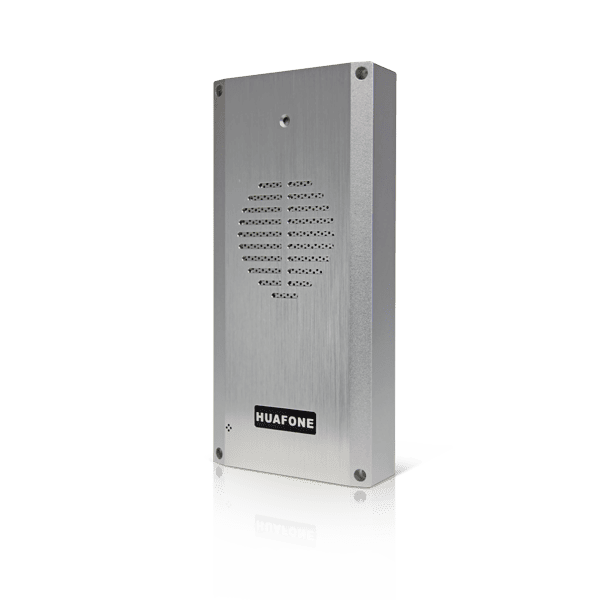
**SmartSpeaker®**- Full-duplex automatic VOX (voice activated), completely hands-free communication for both POS staff and customers
- Up to twice the wireless range of most Bluetooth headsets on the market
- Automatically mutes after the order is taken to provide privacy
- Provides ample sound volume for drive thru service
- Aluminum unibody weather-resistant, vandal-resistant construction
- Individual volume controls
- Plug-N-Play; easy installation
- No 110V electrical output is required for the outside speaker
- Power supply included
- 60-foot wiring included
- Mounting hardware included
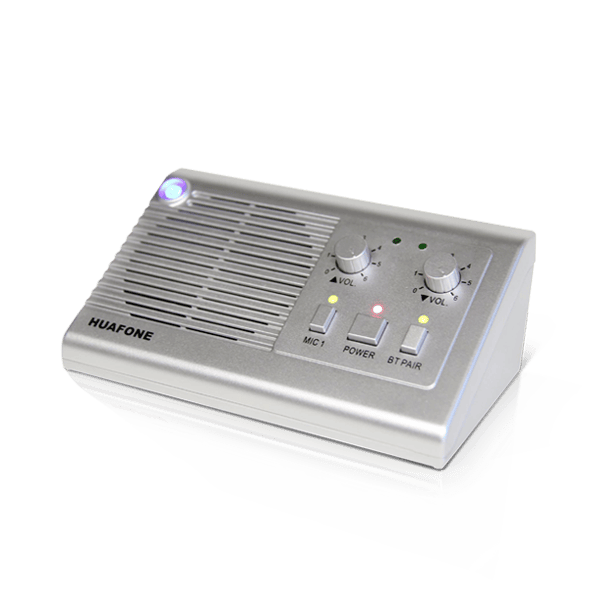
**POS Wireless Base Station**- Connects the outdoor speaker to wireless headsets at the point of sale
- Dimensions: 6.0 x 3.5 x 2.5 in
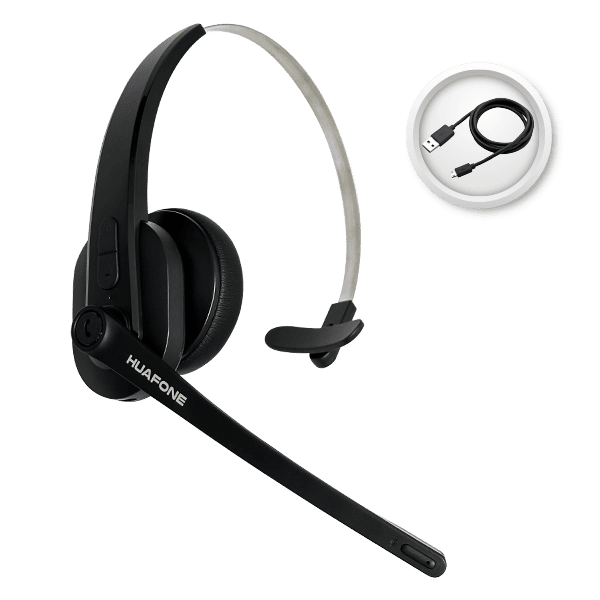
**Avio|HuaFone Pro Wireless Headset POS Main Headset**- Active pairing, easy and fast pairing with base station
- Noise cancelling dual mic design eliminates 96% of background noise
- Up to 24 hours talk time; up to 600 hours standby time
- Can be worn on the left or right ear
- Durable compact lightweight over-the-head design with booming mic
- Adjustable head-strap design allows for a comfortable fit

**Wireless Listen-In System (1 Headset)**- Active pairing, easy and fast pairing with transmitter
- Up to 24 hours talk time; up to 600 hours standby time
- Can be worn on the left or right ear
- Adjustable head-strap design allows for a comfortable fit
**Brands:** Avio Technologies
**Product categories:** Intercom Kits
**Product tags:** best sellers
---
### [Avio|HuaFone Wireless Main Headset - POS Headset for K2,K3](https://avio-tech.com/product/pro-series-long-range-ultra-capacity-pos-wireless-headset/)
**Published:** September 29, 2019
**Author:** jsalazar
**Content:**
**Key Features:**
- - Customer arrival notification tones
- TTS tone announcements
- Wireless headset with built-in failsafe battery
- Charging cable
**Description:**
- Up to 24 hours talk time; up to 600 hours standby time
- Up to twice the wireless range of most Bluetooth headsets on the market
- Active pairing, easy and fast pairing with base station
- Noise cancelling dual mic design eliminates 96% of restaurant background noise
- Customer arrival notification tones to remind staff customer is present at speaker post
- TTS tone announcements for headset operation status notification
- Wireless headset can be worn on left or right ear
- Durable compact lightweight over-the-head design with booming MIC
- Adjustable head-strap design allows for a comfortable fit
- Wireless headset with built-in failsafe battery included
- Charging cable
**Brands:** Avio Technologies
**Product categories:** Accessories, Headsets, Intercom Components
---
### [Outdoor LED Backlit Drive-Thru Menu Board – Floor Mount, Set of 2](https://avio-tech.com/product/avio-led-backlit-double-menu-board-system-av-90/)
**Published:** June 7, 2025
**Author:** Andrew Lopez
**Excerpt:** The Avio LED Backlit Menu Board gives your drive-thru a bright, high-visibility first impression at the approach lane. Built from heavy-duty powder-coated steel with weather seals and five all-weather LED strips, the single panel measures 26" W x 38" H x 2" D and holds a standard 24" x 36" menu insert.
Graphics load through a quick-access front door, so swapping a promotion takes minutes with no tools and no downtime. You can have your menu printed at any local print shop on a single 24" x 36" sheet, which keeps seasonal updates fast and inexpensive. The floor-mount post, hardware, installation template and instructions are all included, and the unit is hard-wired for a clean, permanent install.
**Content:**
**Description:**
Menu boards are a crucial part of every Drive Thru. No Drive Thru is complete without one. Avio Technologies versatile all-weather OUTDOOR LED BACKLIT MENU BOARD SYSTEM is built with powder-coated HEAVY-DUTY steel construction, and will make your Drive Thru more efficient for you and your customers. Whether you need a stand-alone, a hybrid with an intercom system, or a wall-mounted menu board, Avio can meet your needs.
Our easy design allows for quick installation and quick graphic changes to get your Drive Thru up and running, and keep running
**Components:**
- All-weather LED backlit menu board panel system
- Five LED strips
- Holds 24” x 36” sized menus
- Quick-access front door assembly with weather seals
- Panel dimensions: 26″ (Length) x 38″ (Height) x 2″ (Width)
- Panel weight: 25 lbs.
- All-weather menu board post and cross-bars
- Post weight: 30 lbs.
- All floor mounting hardware and mounting template
- Installation instructions
**Technical Details:**
- Powder-coated HEAVY-DUTY steel construction
- Weather-resistant design
- Hard-wired
**Applications:**
- All quick-service independent or small chain restaurants, cafeterias, coffee houses, ice cream stores, bakery shops
- Pharmacy, drug stores
- Bank drive-thru / drive-up windows
- Sites & field applications: recycling centers, weigh stations, truck stops
- Car wash
- Any other places where signage and communication are required
**Brands:** Avio Technologies
**Product categories:** Floor Mount, Menu Boards
---
### [Outdoor LED Backlit Drive-Thru Menu Board – Floor Mount, 2 Panel](https://avio-tech.com/product/avio-led-backlit-standard-menu-board-system-av-90/)
**Published:** June 7, 2025
**Author:** Andrew Lopez
**Excerpt:** The Avio LED Backlit Menu Board gives your drive-thru a bright, high-visibility first impression at the approach lane. Built from heavy-duty powder-coated steel with weather seals and five all-weather LED strips, the single panel measures 26" W x 38" H x 2" D and holds a standard 24" x 36" menu insert.
Graphics load through a quick-access front door, so swapping a promotion takes minutes with no tools and no downtime. You can have your menu printed at any local print shop on a single 24" x 36" sheet, which keeps seasonal updates fast and inexpensive. The floor-mount post, hardware, installation template and instructions are all included, and the unit is hard-wired for a clean, permanent install.
**Content:**
**Description:**
Menu boards are a crucial part of every Drive Thru. No Drive Thru is complete without one. Avio Technologies versatile all-weather OUTDOOR LED BACKLIT MENU BOARD SYSTEM is built with powder-coated HEAVY-DUTY steel construction, and will make your Drive Thru more efficient for you and your customers. Whether you need a stand-alone, a hybrid with an intercom system, or a wall-mounted menu board, Avio can meet your needs.
Our easy design allows for quick installation and quick graphic changes to get your Drive Thru up and running, and keep running
**Components:**
- All-weather LED backlit menu board panel system
- Five LED strips
- Holds 24” x 36” sized menus
- Quick-access front door assembly with weather seals
- Panel dimensions: 26″ (Length) x 38″ (Height) x 2″ (Width)
- Panel weight: 25 lbs.
- All-weather menu board post and cross-bars
- Post weight: 30 lbs.
- All floor mounting hardware and mounting template
- Installation instructions
**Technical Details:**
- Powder-coated HEAVY-DUTY steel construction
- Weather-resistant design
- Hard-wired
**Applications:**
- All quick-service independent or small chain restaurants, cafeterias, coffee houses, ice cream stores, bakery shops
- Pharmacy, drug stores
- Bank drive-thru / drive-up windows
- Sites & field applications: recycling centers, weigh stations, truck stops
- Car wash
- Any other places where signage and communication are required
**Brands:** Avio Technologies
**Product categories:** Floor Mount, Menu Boards
**Product tags:** best sellers
---
### [Outdoor LED Backlit Drive-Thru Menu Board – Floor Mount, 1 Panel](https://avio-tech.com/product/avio-led-backlit-presale-menu-board-system-av-90/)
**Published:** June 7, 2025
**Author:** Andrew Lopez
**Excerpt:** The Avio LED Backlit Menu Board gives your drive-thru a bright, high-visibility first impression at the approach lane. Built from heavy-duty powder-coated steel with weather seals and five all-weather LED strips, the single panel measures 26" W x 38" H x 2" D and holds a standard 24" x 36" menu insert.
Graphics load through a quick-access front door, so swapping a promotion takes minutes with no tools and no downtime. You can have your menu printed at any local print shop on a single 24" x 36" sheet, which keeps seasonal updates fast and inexpensive. The floor-mount post, hardware, installation template and instructions are all included, and the unit is hard-wired for a clean, permanent install.
**Content:**
**Description:**
Menu boards are a crucial part of every Drive Thru. No Drive Thru is complete without one. Avio Technologies versatile all-weather OUTDOOR LED BACKLIT MENU BOARD SYSTEM is built with powder-coated HEAVY-DUTY steel construction, and will make your Drive Thru more efficient for you and your customers. Whether you need a stand-alone, a hybrid with an intercom system, or a wall-mounted menu board, Avio can meet your needs.
Our easy design allows for quick installation and quick graphic changes to get your Drive Thru up and running, and keep running
**Components:**
- All-weather LED backlit menu board panel system
- Five LED strips
- Holds 24” x 36” sized menus
- Quick-access front door assembly with weather seals
- Panel dimensions: 26″ (Length) x 38″ (Height) x 2″ (Width)
- Panel weight: 25 lbs.
- All-weather menu board post and cross-bars
- Post weight: 30 lbs.
- All floor mounting hardware and mounting template
- Installation instructions
**Technical Details:**
- Powder-coated HEAVY-DUTY steel construction
- Weather-resistant design
- Hard-wired
**Applications:**
- All quick-service independent or small chain restaurants, cafeterias, coffee houses, ice cream stores, bakery shops
- Pharmacy, drug stores
- Bank drive-thru / drive-up windows
- Sites & field applications: recycling centers, weigh stations, truck stops
- Car wash
- Any other places where signage and communication are required
**Brands:** Avio Technologies
**Product categories:** Floor Mount, Menu Boards
---
### [Wall-Mount Drive-Thru Menu Board – 1 Panel, LED Backlit](https://avio-tech.com/product/wall-mounted-huafone-outdoor-led-menu-board-system/)
**Published:** September 10, 2021
**Author:** Andrew Lopez
**Content:**
Menu boards are a crucial part of every Drive Thru. No Drive Thru is complete without one. Detroit Avio Technologies Technology’s versatile all-weather WALL-MOUNT OUTDOOR/INDOOR LED BACKLIT PRE-SALE MENU BOARD SYSTEM is built with powder-coated HEAVY-DUTY steel construction, and will make your Drive Thru more efficient for you and your customers. Whether you need a stand-alone, a hybrid with an intercom system, or a wall-mounted menu board, Avio Technologies can meet your needs.
Our easy design allows for quick installation and quick graphic changes to get your Drive Thru up and running, and keep running.
**Components:**
- All-weather LED backlit menu board panel system
- Five LED strips
- Holds 24″ x 36″ sized menus
- Quick-access front door assembly with weather seals
- Panel dimensions: 26″ (Length) x 38″ (Height) x 2″ (Width)
- Panel weight: 25 lbs
- All weather menu board post and cross-bars
- Post weight: 30 lbs
- All floor mounting hardware and mounting template
- Installation instructions
**Technical Details:**
- **Powder-coated HEAVY-DUTY steel construction**
- Works with any optional VESA full-motion or tilt TV wall-mount system with 8mm bolts
- Weather-resistant design
- Hard-wired
**Applications:**
- All quick-service independent or small chain restaurants, cafeterias, coffee houses, ice cream stores, bakery shops
- Pharmacy, drug stores
- Bank drive-thru / drive-up windows
- Sites & field applications: recycling centers, weigh stations, truck stops
- Car wash
- Any other places where signage and communication are required
**Brands:** Avio Technologies
**Product categories:** Menu Boards, Wall Mount
---
### [Pro Bundle Drive-Thru Intercom & Menu Boards](https://avio-tech.com/product/hybrid-bundle/)
**Published:** January 12, 2022
**Author:** jsalazar
**Excerpt:** The centerpiece of the Avio Pro Intercom Bundle is our LED-backlit menu board, using the same panels as our Outdoor LED Backlit Standard Menu Board System — integrated directly into the intercom speaker post for a compact footprint that fits restaurants with limited outdoor space.
- Everything in AIO-K3-L1 Pro Intercom System
Dual-mode audio, full-duplex VOX, and the Pro Series Speaker Post Assembly — which includes the built-in vehicle detector — all included.
- Manufactured In-House, Not Resold Hardware
Our menu boards are built around smart, purpose-driven design — rugged, weatherproof construction made to hold up to years of outdoor use. Avio designs and builds every board ourselves, keeping quality and durability in our hands from the factory floor to your drive-thru lane.Customers have responded well to the build quality and reliability, and our static menu boards are featured as a selected option on one of the industry's leading drive-thru equipment site.
- 2× LED-Backlit Menu Boards
Bright, legible menu display day or night, helping customers order faster and more accurately — visible from the lane in any lighting condition.
- Live Camera System (Optional — AIO-BNDL-K3L1-MBW2P-CAM)
See the lane in real time — useful for order verification, security, and monitoring wait times. Choose the camera option above to include it.
- One Complete Setup, One Price
No piecing together separate purchases from separate vendors — everything arrives ready to install as one system.
- Floor-Mounted Installation
More involved than the base kits — a complete hardware package and layout template make it straightforward to set up.
- Built by Avio
A decade of in-house design experience, priced for independent operators instead of national chains.
**Content:**
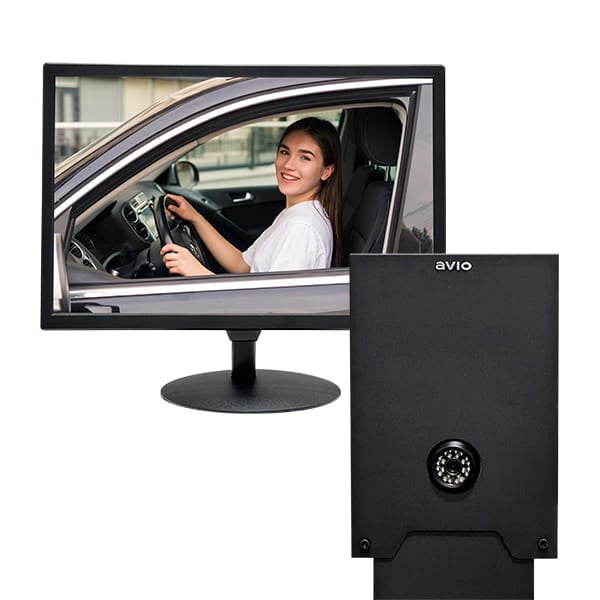
**Live Camera System**
A plug-and-play camera module with an outdoor weather-resistant camera and a VESA compliant monitor. The live camera feed lets you see the customer at the outside speaker post.
The LCS module includes:
- Camera module
- Camera mounting hardware
- Weather-resistant connector cap
- LED monitor with remote
- VESA compliant mounting holes
- Instruction manual
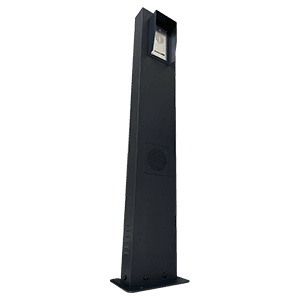
**Pro Series Speaker Post Assembly**
- The built-in ProSpeaker®, factory pre-installed inside the outdoor speaker post, provides **10W loud sound volume** for the drive thru service
- The built-in aluminum unibody weather-resistant, vandal-resistant ProPanel®, factory pre-installed inside the outdoor speaker post, **automatically unmutes** both ProSpeaker® and microphone when a customer arrives, with its **built-in sensor**. Both the ProSpeaker® and microphone will **mute three minutes after** the customer leaves.
- ProPanel® weather hood is included to provide additional weather protection
- Plug-N-Play; quick and easy installation
- Base station power supply is included
- 110V electrical output is **NOT required** for the outdoor Pro Series speaker post
- A **Cat 5 network cable** is used for better sound quality and ease of installation. 10 ft of Cat 5 cable is included for pre-installation system testing. Use your own Cat 5 cable that meets your length requirements, up to 250 ft, for your site
- RJ45 network cable coupler is included (optional)
- All floor **mounting hardware** is included
- Floor mounting installation **template plate** is included
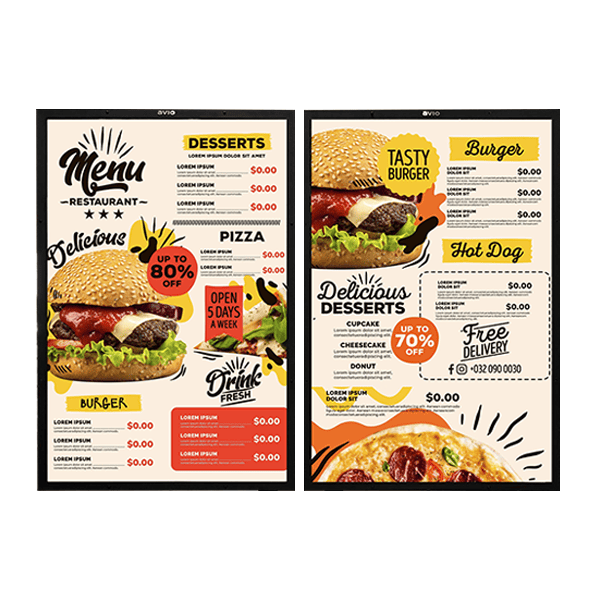
**Menu Board Panels**
Menu boards are a crucial part of every drive thru — no drive thru is complete without one. Avio Technologies’ versatile all-weather wall-mount outdoor/indoor LED backlit standard menu board system is built with powder-coated heavy-duty steel construction, and will make your drive thru more efficient for you and your customers. Whether you need a stand-alone unit, a hybrid with an intercom system, or a wall-mounted menu board, Avio Technologies can meet your needs.
Our easy design allows for quick installation and quick graphic changes, to get your drive thru up and running and keep it running.
- **Powder-coated heavy-duty steel construction**
- Works with any optional VESA full-motion or tilt TV wall-mount system with 8mm bolts
- Weather-resistant design
- Hard-wired
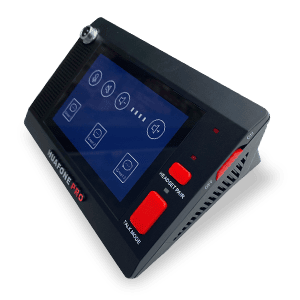
**Pro Series Wireless Base Station**
- **Full-duplex automatic VOX** (voice activated), completely hands-free communication for both POS (point of sale) staff and customers
- **Dual mode function** allows users to switch the communication mode on the base station between **wireless mode** (through the POS wireless headset) and **failsafe wired mode** (through the detachable POS gooseneck microphone and the built-in 3W base station speaker)
- Large 5-inch **touch screen** for individual volume controls on the POS wireless headset and the built-in base station speaker
- The same 5-inch **touch screen** provides individual mute control for the POS wireless headset, POS gooseneck microphone, and built-in base station speaker — an **additional level of mute control** for privacy considerations such as HIPAA
- Power supply included

**Avio|HuaFone Pro Series Wireless POS Main Headset**
- Up to 24 hours talk time; up to 600 hours standby time
- Up to twice the wireless range of most Bluetooth headsets on the market
- Active pairing, easy and fast pairing with base station
- Noise cancelling dual mic design eliminates 96% of restaurant background noise
- Customer arrival notification tones remind staff a customer is present at the speaker post
- TTS tone announcements for headset operation status notification
- Can be worn on the left or right ear
- Durable compact lightweight over-the-head design with boom mic
- Adjustable head-strap design allows for a comfortable fit
- Wireless headset with built-in failsafe battery included
- Charging cable included

**Pro Series Wireless Listen-In System (2 Headsets)**
Designed for two team members to listen in on drive-thru order activity. Listen in only. Wire free.
Compatible with all of our drive-thru headset kits.
- Pro Series long-range ultra-capacity wireless transmitter
- Pro Series long-range ultra-capacity wireless headsets (2)
- Wireless headsets with built-in failsafe battery
- Charging cables
- Audio cable
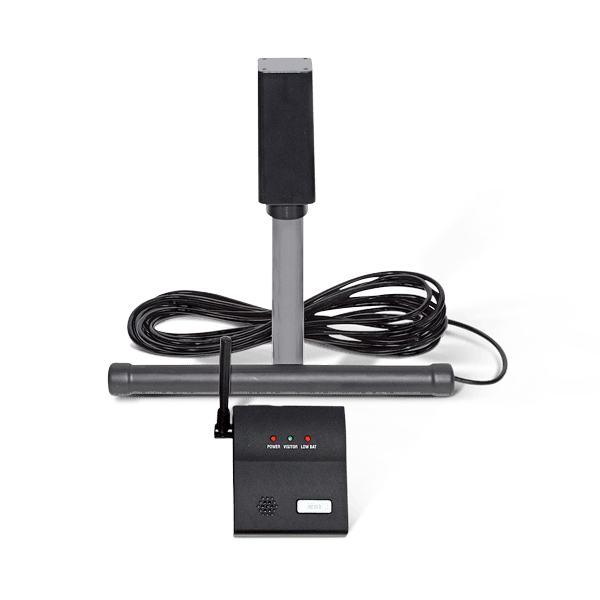
**Vehicle Detection System**
The outdoor electromagnetic sensor only detects drive-thru vehicles — no false alarms from nearby vehicles, pedestrians, or animals.
The easy-to-install electromagnetic sensor wand is buried in the lawn next to the drive thru driveway, and detects mass metal moving within a 3–12 ft radius of the wand.
When a drive-thru vehicle passes the sensor, an outdoor transmitter communicates wirelessly to an indoor base station up to 400 ft away and sounds a pleasant chime.
Low battery indicator on both the indoor receiver and the transmitter.
**Brands:** Avio Technologies
**Product categories:** Bundles
**Product tags:** best sellers
---
### [Pro Intercom System – Wireless Headset Dual Mode with Integrated Speaker Post](https://avio-tech.com/product/kit-3-pro-series-drive-thru-headset-system-pro-series-wireless-base-station-pro-series-wireless-headset-and-pro-series-speaker-post-assembly/)
**Published:** September 27, 2019
**Author:** jsalazar
**Excerpt:** Built for growing QSR operations and higher-volume restaurants that need built-in redundancy and a rich-featured setup — dual-mode audio, listen-in monitoring, and vehicle detection all included standard, so there's nothing to add on as you scale.
- Pro Series Speaker Post Assembly
The complete outdoor lane setup in one purpose-built post: a factory-installed Aluminum Alloy ProSpeaker® and built-in steel weatherhood, housed in a single heavy-duty assembly ready to install.
- Dual-Mode Audio: Wireless + Failsafe Fixed Mic
Never lose communication — if the wireless connection drops, the fixed mic keeps orders flowing without interruption.
- Full-Duplex Automatic VOX (Voice-Activated)
Completely hands-free communication for both your team and customers — no push-to-talk button needed on either end.
- 5-Inch Touch Screen with Individual Mute Control
The Pro Series base station's large touch screen lets you mute the wireless headset, gooseneck microphone, and base station speaker individually — an extra layer of privacy control for considerations like HIPAA.
- Built-In Vehicle Detector
Automatically alerts staff when a car pulls up, so no customer waits unnoticed.
- DIY-Workable Installation
More involved than the base kits, but still fully DIY — no electrician or contractor needed to get it running.
- Built by Avio
A decade of in-house design experience, priced for independent operators instead of national chains.
**Content:**

**Pro Series Speaker Post Assembly**
- The built-in ProSpeaker®, factory pre-installed inside the outdoor speaker post, provides **10W loud sound volume** for the drive thru service
- The built-in aluminum unibody weather-resistant, vandal-resistant ProPanel®, factory pre-installed inside the outdoor speaker post, **automatically unmutes** both ProSpeaker® and microphone when a customer arrives, with its **built-in sensor**. Both the ProSpeaker® and microphone will **mute three minutes after** the customer leaves.
- ProPanel® weather hood is included to provide additional weather protection
- Plug-N-Play; quick and easy installation
- Base station power supply is included
- 110V electrical output is **NOT required** for the outdoor Pro Series speaker post
- A **Cat 5 network cable** is used for better sound quality and ease of installation. 10 ft of Cat 5 cable is included for pre-installation system testing. Use your own Cat 5 cable that meets your length requirements, up to 250 ft, for your site
- RJ45 network cable coupler is included (optional)
- All floor **mounting hardware** is included
- Floor mounting installation **template plate** is included

**Pro Series Wireless Base Station**
- **Full-duplex automatic VOX** (voice activated), completely hands-free communication for both POS (point of sale) staff and customers
- **Dual mode function** allows users to switch the communication mode on the base station between **wireless mode** (through the POS wireless headset) and **failsafe wired mode** (through the detachable POS gooseneck microphone and the built-in 3W base station speaker)
- Large 5-inch **touch screen** for individual volume controls on the POS wireless headset and the built-in base station speaker
- The same 5-inch **touch screen** provides individual mute control for the POS wireless headset, POS gooseneck microphone, and built-in base station speaker — an **additional level of mute control** for privacy considerations such as HIPAA
- Power supply included

**Avio|HuaFone Pro Series Wireless POS Main Headset**
- Up to 24 hours talk time; up to 600 hours standby time
- Up to twice the wireless range of most Bluetooth headsets on the market
- Active pairing, easy and fast pairing with base station
- Noise cancelling dual mic design eliminates 96% of restaurant background noise
- Customer arrival notification tones remind staff a customer is present at the speaker post
- TTS tone announcements for headset operation status notification
- Can be worn on the left or right ear
- Durable compact lightweight over-the-head design with boom mic
- Adjustable head-strap design allows for a comfortable fit
- Wireless headset with built-in failsafe battery included
- Charging cable included

**Pro Series Wireless Listen-In System (1 Headset)**
Designed for one team member to listen in on drive-thru order activity. Listen in only. Wire free.
Compatible with all of our drive-thru headset kits.
- Pro Series long-range ultra-capacity wireless transmitter
- Pro Series long-range ultra-capacity wireless headset
- Wireless headset with built-in failsafe battery
- Charging cables
- Audio cable
**Brands:** Avio Technologies
**Product categories:** Intercom Kits
**Product tags:** best sellers
---
### [Entry Kit – Fixed-Mic Drive-Thru Intercom System](https://avio-tech.com/product/kit-1-drive-thru-intercom-system-and-vehicle-detector-system/)
**Published:** August 15, 2016
**Author:** jsalazar
**Excerpt:** Built for single-lane QSRs, coffee stands, walk-up windows, and security or gate posts where your team works close to the station. You need a dependable, always-on connection. Entry Kit is the simplest way to get a professional drive-thru running.
- Complete Setup, All-in-One Kit
Everything you need in one box: indoor station, outdoor speaker, and speaker wiring, so there's no piecing together parts from multiple vendors.
- Plug-and-Play, Easy DIY Installation
No electrician or contractor needed. Wire it up and you're taking orders the same day.
- Indoor Station with Noise-Canceling Microphone
Keeps kitchen noise, traffic, and background chatter out of the conversation, so orders come through clearly on both ends.
- Weather-Resistant Outdoor Aluminum Alloy Speaker
Built to hold up through rain, heat, and daily outdoor use without corroding or degrading sound quality.
- Steel Speaker Weatherhood (Add-On)
Available as an add-on for extra protection over the outdoor speaker.
- Clear Sound and Durable
A direct wired signal path delivers consistent audio quality built to hold up to years of daily use.
- Built by Avio
A decade of in-house design experience, priced for independent operators instead of national chains.
**Content:**

**Aluminum Weather-Resistant, Vandal-Resistant Loud Speaker**
- Full-duplex automatic VOX (voice activated), completely hands-free communication for both POS staff and customers
- Aluminum unibody weather-resistant, vandal-resistant speaker
- Large outside speaker provides ample sound volume for drive thru service
- Individual volume controls
- Plug-N-Play; easy installation
- No 110V electrical output is required for outside speaker assembly
- Power supply included
- 60-foot wiring included
- Mounting hardware included

**POS Base Station**
- POS base station
- POS base station dimensions: 6.0 x 3.2 x 2.2 in
**Brands:** Avio Technologies
**Product categories:** Intercom Kits
**Product tags:** best sellers
---
### [Avio Speaker Weather Hood (For All Kits)](https://avio-tech.com/product/speaker-weather-hood/)
**Published:** January 20, 2019
**Author:** jsalazar
**Content:**
**Technical Details:**
- SmartHood® Design
- Heavy Duty Construction
- Rust Proof Coating
- Leak Free Seals
- Overall 8.5×5.0x2.5 in
**Applications:**
- Compatible with all Avio Technologies Speakers
**Brands:** Avio Technologies
**Product categories:** Accessories, Intercom Components, Speaker Post
---
### [Avio Outdoor Loud-Speaker Substation (For Kit 1)](https://avio-tech.com/product/all-weather-vandal-proof-outside-loud-speaker-substation/)
**Published:** June 2, 2017
**Author:** jsalazar
**Excerpt:** This part is included in the corresponding KIT, if KIT is purchased
**Content:**
All Aluminum uni-body water-resistant, vandal-resistant substation
Larger substation speaker provides ample sound volume for drive thru service
Substation Speaker Dimensions: 7″x3.5″x1.125″
**Brands:** Avio Technologies
**Product categories:** Accessories, Base & Substation, Intercom Components
---
### [Avio Listen-In Wireless Transmitter](https://avio-tech.com/product/avio-listen-in-wireless-transmitter/)
**Published:** September 9, 2026
**Author:** jsalazar
**Excerpt:** Replacement wireless transmitter for the Avio Listen-In headset system. Plugs into your drive-thru base station and streams live order audio to your listen-in headsets, so a second team member can hear every order wire-free.
Transmitter only, no headset included. Compatible with all Avio drive-thru intercom kits (K1, K2, K3) and with existing Listen-In headsets. Includes 3.5mm audio cable and mini-USB charging cable.
**Content:**
Lost or damaged transmitter? This is the standalone TX unit from the Avio Listen-In Wireless Headset System, sold on its own so you don’t have to buy a full kit to get back up and running.
Components: 1 Wireless Transmitter, 3.5mm Audio Cable, mini-USB Cable
- Pairs with existing Avio Listen-In headsets (1 or 2 headsets)
- Connects to any Avio base station through the 3.5mm audio jack
- Listen-in only: monitor orders wirelessly, no belt pack, no wiring run
- Compatible with all Avio drive-thru headset kits
**Brands:** Avio Technologies
**Product categories:** Accessories, Headsets, Intercom Components
---
### [Avio Live Camera System, Standalone](https://avio-tech.com/product/live-camera-system-stand-alone/)
**Published:** June 13, 2023
**Author:** jsalazar
**Content:**
Introducing our new plug-and-play Camera Module. Comes with outdoor weather-resistant camera and VESA compliant monitor. Live camera feed allows you to see the customer at the outside speaker post.
### Part List
- Camera Module
- Camera Mounting Hardware
- Weather resistant Connector Cap
- LED Monitor with remote
- VESA Compliant Mounting Holes
- Instruction Manual
**Brands:** Avio Technologies
**Product categories:** Accessories, Add-ons, Camera & Detection
---
### [Avio Lane Selector (For Kit 1, 2)](https://avio-tech.com/product/lane-selector-all-kits/)
**Published:** February 3, 2019
**Author:** jsalazar
**Content:**
**Applications:**
- Two-lane drive-thru operations
- Compatible with all Avio Technologies Drive Thru Systems.
**Technical Details:**
- Desktop or wall mount
- Reliable push-down selector buttons
- Easy to operate
- Sturdy design
**Components:**
- Lane Selector
- 3.5mm male to male audio cable (4-ft)
- Setup Guide
**Brands:** Avio Technologies
**Product categories:** Accessories, Add-ons, Signage & Lane
---
### [Avio Outdoor LED Directional Sign, Double-Sided](https://avio-tech.com/product/avio-directional-signs/)
**Published:** January 21, 2023
**Author:** jsalazar
**Content:**
Directional signs can be one of the most important parts of your Drive Thru system as they are usually the first and last thing you see during your drive thru experience. Whether it is welcoming customers, Thanking customers or directing traffic, these signs can be very versatile. With our easy to install design these signs can be a very simple and beneficial way to boost your drive thru business.
**Components:**
- All-weather double sided LED backlit Directional Sign
- Quick-access covers with weather seals
- 2 LED Light strips inside
- 12 directional Inserts
- 24” (Width), 12” (Height), 3” (Thick), Total height from ground 36”
- Base Plate dimensions – 9” (Length) 6” (Width)
- All floor mounting hardware and mounting template
- Installation instructions
**Technical Details:**
- Powder-coated HEAVY-DUTY metal construction
- Weather-resistant design
- Hard-wired
**Applications:**
- All quick-service independent or small chain restaurants, cafeterias, coffee houses, ice cream stores, bakery shops
- Pharmacy, drug stores
- Bank drive-thru / drive-up windows
- Recycling Centers, Weigh Stations, Truck Stops, Car Wash
- Any other places where signage and communication are required
**Brands:** Avio Technologies
**Product categories:** Accessories, Add-ons, Signage & Lane
---
### [Avio Height Clearance Bar](https://avio-tech.com/product/texfone-clearance-bar/)
**Published:** January 21, 2023
**Author:** jsalazar
**Content:**
Height Clearance Bars offer important information regarding vehicle height restrictions. In order to avoid expensive property damage and or injury. These will help insure customers are aware of the height allowable within the drive thru.
**Components:**
- Powder-coated HEAVY-DUTY metal construction
- 9’ Clearance
- Base Plate dimensions: 11” (Length) x 11” (Width)
- Post 4” x 4”
- All floor mounting hardware and mounting template
- Installation instructions
- Weather-resistant design
**Applications:**
- All quick-service independent or small chain restaurants, cafeterias, coffee houses, ice cream stores, bakery shops
- Pharmacy, drug stores
- Bank drive-thru / drive-up windows
- Recycling Centers, Weigh Stations, Truck Stops, Car Wash
- Any other places where signage and communication are required
**Brands:** Avio Technologies
**Product categories:** Accessories, Add-ons, Signage & Lane
---
### [Avio 30-ft Wiring Cable (For Kit 2, 3)](https://avio-tech.com/product/huafone-engineered-wires/)
**Published:** June 2, 2017
**Author:** jsalazar
**Excerpt:** This part is included in the corresponding KIT, if KIT is purchased
**Content:**
Avio Technologies-Engineered wires work with all Kits
Note: Please do not use wires that are longer than 120 ft for any of the kit.
**Brands:** Avio Technologies
**Product categories:** Accessories, Cables & Adaptors, Wiring & Power
---
### [Avio Wire Retrofit Adaptor Kit (For Kit 1, 2)](https://avio-tech.com/product/wiring-retrofit-kit-for-existing-wires/)
**Published:** October 17, 2017
**Author:** jsalazar
**Excerpt:** Factory 22-year Anniversary Sale
**Content:**
This wiring retrofit kit can be used to simplify wire installation if an existing intercom wires, between POS master station and outside speaker substation, are already in place.
Three conductors of the existing wires will be used.
**Brands:** Avio Technologies
**Product categories:** Accessories, Cables & Adaptors, Wiring & Power
---
### [Avio 60-ft Wiring Cable](https://avio-tech.com/product/huafone-engineered-wires-60-ft/)
**Published:** February 6, 2019
**Author:** jsalazar
**Excerpt:** This part is included in the corresponding KIT, if KIT is purchased
**Content:**
Avio Technologies-Engineered wires work with all Kits
Note: Please do not use wires that are longer than 120 ft for any of the kit.
**Brands:** Avio Technologies
**Product categories:** Accessories, Cables & Adaptors, Wiring & Power
---
### [Avio Power Supply (For Kit 1, 2)](https://avio-tech.com/product/power-supply/)
**Published:** June 2, 2017
**Author:** jsalazar
**Brands:** Avio Technologies
**Product categories:** Accessories, Power Supplies, Wiring & Power
---
### [Avio Power Supply (For Kit 3)](https://avio-tech.com/product/power-supply-kit-3/)
**Published:** August 14, 2021
**Author:** Andrew Lopez
**Content:**
Power Supply Compatible With All Kit 3
**Brands:** Avio Technologies
**Product categories:** Accessories, Power Supplies, Wiring & Power
---
### [Avio Wireless Base Station (For Kit 2, 2-L1, 2-L2)](https://avio-tech.com/product/master-station-without-goose-neck/)
**Published:** June 16, 2017
**Author:** jsalazar
**Brands:** Avio Technologies
**Product categories:** Accessories, Base & Substation, Intercom Components
---
### [Avio Base Station (For Kit 1)](https://avio-tech.com/product/master-station-goose-neck/)
**Published:** June 16, 2017
**Author:** jsalazar
**Excerpt:** Base station is for Kit 1 and Kit 2 only.
Full-duplex automatic VOX (voice activated), completely hands-free communication for both POS staff and customers.
Individual volume controls for both base station speaker and speaker.
POS base station dimensions: 6″x3.2″x2.2″.
**Content:**
Base station is for Kit 1 and Kit 2 only.
Full-duplex automatic VOX (voice activated), completely hands-free communication for both POS staff and customers.
Individual volume controls for both base station speaker and speaker.
POS base station dimensions: 6″x3.2″x2.2″.
**Brands:** Avio Technologies
**Product categories:** Accessories, Base & Substation, Intercom Components
---
### [Avio SmartSpeaker® Substation (For Kit 2, 2-L1, 2-L2)](https://avio-tech.com/product/all-weather-vandal-proof-loud-speaker-with-smarkspeaker-technology/)
**Published:** September 14, 2017
**Author:** jsalazar
**Excerpt:** SmartSpeaker is for Kit 3 only.
All Aluminum uni-body all-weather, vandal-proof substation.
SmartSpeaker provides ample sound volume for drive thru service.
For privacy, SmartSpeaker will automatically turn to 95% mute mode 30-45 seconds after the
previous customer leaves, until the built-in proximity sensor detects the next customer.
SmartSpeaker dimensions: 7″x3.5″x1.125″.
**Content:**
All Aluminum uni-body all-weather, vandal-resistant substation.
SmartSpeaker provides ample sound volume for drive thru service.
For privacy, SmartSpeaker will automatically turn to 95% mute mode 30-45 seconds after the
previous customer leaves, until the built-in proximity sensor detects the next customer.
SmartSpeaker dimensions: 7″x3.5″x1.125″.
**Brands:** Avio Technologies
**Product categories:** Accessories, Base & Substation, Intercom Components
---
### [Avio Listen-In Wireless Headset System – Listen-In Only (Kit with transmitter)](https://avio-tech.com/product/listen-in-only-wireless-system-1-headset/)
**Published:** December 28, 2018
**Author:** jsalazar
**Content:**
Listen-In “only” Wireless Headset System
**Part number:** HF-L01A
**Components:**
- 1 Wireless Headset
- Transmitter
- 3.5mm Audio Cable
- mini-USB Cable
**Description:**
HF-L01A is designed for 1 team member to listen into the drive-thru order activities. Listen in only. Wire free.
HF-L01A is compatible with all of our drive-thru headset kits.
**Brands:** Avio Technologies
**Product categories:** Accessories, Headsets, Intercom Components
---
### [Avio Drive-Thru Speaker Post Vinyl Sign Set](https://avio-tech.com/product/drive-thru-speaker-post-vinyl-sign-set/)
**Published:** October 17, 2017
**Author:** jsalazar
**Excerpt:** Factory 22-year Anniversary Sale
**Content:**
Weather proof signs. Printed on self-stick Vinyl sheet. ORDER HERE sign is printed on transparent Vinyl sheet to only show the letters after installation.
**Brands:** Avio Technologies
**Product categories:** Accessories, Add-ons, Signage & Lane
---
### [Avio Vehicle Detector, SmartPost® & Signage Bundle](https://avio-tech.com/product/extra-vehicle-detector-system-smartpost-vinyl-signage/)
**Published:** February 6, 2019
**Author:** jsalazar
**Brands:** Avio Technologies
**Product categories:** Bundles, Intercom Components
---
## Categories
### [Buying Guides & Comparisons](https://avio-tech.com/category/buying-guides-comparisons/)
---
## Product tags
### [best sellers](https://avio-tech.com/product-tag/best-sellers/)
---
## Product categories
### [Accessories](https://avio-tech.com/product-category/accessories/)
---
### [Bundles](https://avio-tech.com/product-category/bundles/)
---
### [Intercom Kits](https://avio-tech.com/product-category/drive-thru-intercom-kits/)
---
### [Menu Boards](https://avio-tech.com/product-category/menu-boards/)
---
### [Intercom Components](https://avio-tech.com/product-category/accessories/intercom-components/)
---
### [Wiring & Power](https://avio-tech.com/product-category/accessories/wiring-power/)
---
### [Add-ons](https://avio-tech.com/product-category/accessories/add-ons/)
---
### [Floor Mount](https://avio-tech.com/product-category/menu-boards/floor-mount/)
---
### [Wall Mount](https://avio-tech.com/product-category/menu-boards/wall-mount/)
---
### [Camera & Detection](https://avio-tech.com/product-category/accessories/add-ons/camera-detection/)
---
### [Signage & Lane](https://avio-tech.com/product-category/accessories/add-ons/signage-lane/)
---
### [Headsets](https://avio-tech.com/product-category/accessories/intercom-components/headsets/)
---
### [Base & Substation](https://avio-tech.com/product-category/accessories/intercom-components/base-substation/)
---
### [Speaker Post](https://avio-tech.com/product-category/accessories/intercom-components/speaker-post/)
---
### [Cables & Adaptors](https://avio-tech.com/product-category/accessories/wiring-power/cables-adaptors/)
---
### [Power Supplies](https://avio-tech.com/product-category/accessories/wiring-power/power-supplies/)
---